 logo
logo
QR codes are everywhere. On menus. On posters. On product boxes. Even on business cards. They link the real world to the digital one in a single scan. But not all QR code generators are created equal. Some are simple and free. Others are powerful and packed with features. So which one should you use? Let’s break it down in a fun and simple way.
TLDR: We compared 12 popular QR code generators based on features, pricing, and ease of use. Free tools are great for basic needs. Paid tools shine with analytics, dynamic codes, and branding options. If you just need a simple QR code, you won’t need to spend a dime.
What to Look for in a QR Code Generator
Before we jump into the tools, let’s keep it simple. Here are the main things to look for:
- Static vs Dynamic QR Codes – Static codes can’t be edited after creation. Dynamic ones can.
- Analytics – See who scans your code and when.
- Customization – Add your logo. Change colors. Match your brand.
- File Formats – PNG, SVG, PDF. More options are better.
- Ease of Use – Nobody wants a 10-step setup.
- Pricing – Free? Monthly fee? One-time payment?
Quick Comparison Chart
| Tool | Free Plan | Dynamic Codes | Analytics | Ease of Use |
|---|---|---|---|---|
| QR Code Generator | Yes (limited) | Paid | Paid | Very Easy |
| The QR Code Generator | No | Yes | Yes | Easy |
| QR.io | No | Yes | Yes | Very Easy |
| Beaconstac | No | Yes | Yes | Moderate |
| Scanova | Trial Only | Yes | Yes | Moderate |
| QR Tiger | Limited | Yes | Yes | Very Easy |
| Flowcode | Yes | Paid | Paid | Very Easy |
| Unitag | Limited | Yes | Paid | Easy |
| QRCode Monkey | Yes | No | No | Very Easy |
| GoQR | Yes | No | No | Very Easy |
| Visualead | Limited | Yes | Paid | Moderate |
| Kaywa | Trial | Yes | Yes | Easy |
1. QR Code Generator
This one is popular. Very clean design. Very easy to use.
- Free Plan: Yes, but static only
- Best For: Small businesses
- Paid Plans: Start around mid-range monthly pricing
You can customize colors and add a logo. But if you want tracking, you’ll need a paid plan.
Great starter tool.
2. The QR Code Generator
Simple name. Strong business features.
- No real free version
- Dynamic QR codes available
- Strong analytics dashboard
It feels professional. Slightly more focused on marketing teams.
3. QR.io
Modern interface. Smooth experience.
- Dynamic codes included
- Custom landing pages
- Good analytics
It’s very beginner-friendly. Everything is guided. But it’s subscription-based.
4. Beaconstac
This one is powerful. Enterprise-level powerful.
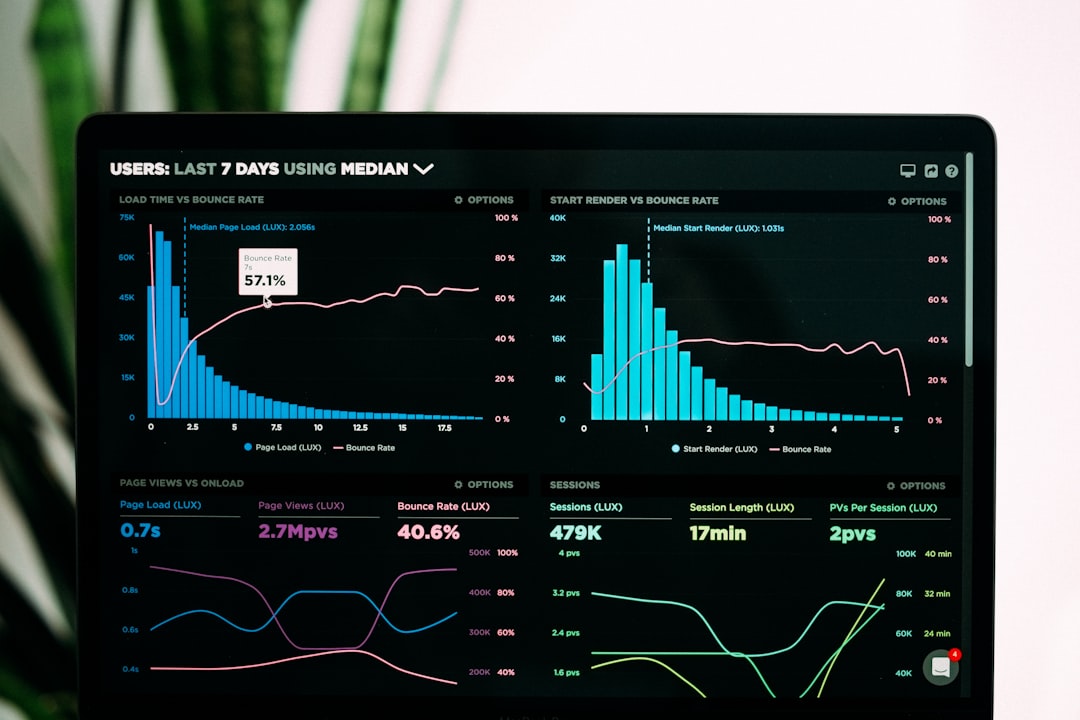
- Advanced tracking
- Retargeting features
- Team collaboration tools
It’s not cheap. But large companies love it.
Best for: Agencies and big brands.
5. Scanova
Scanova focuses heavily on dynamic QR codes.
- Free trial available
- Strong design customization
- Detailed scan reports
The interface takes a little time to learn. But once you get it, it’s smooth.
6. QR Tiger
A fan favorite.
- Free version available
- Lots of QR types (WiFi, vCard, social media)
- Affordable paid plans
This one balances features and pricing well.
Great value for money.
7. Flowcode
Very design-focused.
- Stylish QR codes
- Easy for creators and influencers
- Paid plans unlock analytics
If design matters a lot to you, this is worth checking out.
8. Unitag
Unitag is all about visuals.
- High customization
- Custom shapes and colors
- Analytics in paid version
The codes look less “technical” and more branded.
9. QRCode Monkey
This one is completely free for static QR codes.
- No signup required
- High-resolution downloads
- Simple customization
No analytics. No dynamic editing. But for basic needs? Perfect.
Best free option overall.
10. GoQR
Extremely minimal.
- Totally free
- No bells and whistles
- Very fast
It’s almost old-school. But it works.
11. Visualead
Visualead makes fancy QR designs.
- Image-based QR codes
- Brand-heavy visuals
- Paid plans required for full features
Great for campaigns that need to stand out visually.
12. Kaywa
One of the older players.
- Secure dynamic QR codes
- Focus on data protection
- Professional pricing tier
It feels solid and reliable. But not flashy.
Static vs Dynamic: Which Should You Choose?
Static QR Code:
- Free most of the time
- Permanent link
- No tracking
Dynamic QR Code:
- Edit destination anytime
- Track scans
- Better for marketing campaigns
If you’re printing 5,000 flyers, go dynamic. If you’re sharing your WiFi password, static is fine.
Pricing Overview
Here’s a simplified breakdown:
- Free Tools: QRCode Monkey, GoQR
- Low-Cost Plans: QR Tiger, Flowcode
- Mid-Range Business Tools: QR.io, Scanova
- Enterprise-Level: Beaconstac, Kaywa
Most paid plans range from a basic monthly subscription to higher enterprise tiers. Always check how many dynamic codes you’re allowed to create.
Ease of Use Ranking
Simplest:
- QRCode Monkey
- GoQR
- Flowcode
Moderate Learning Curve:
- Scanova
- Beaconstac
- Visualead
The more features a tool has, the more there is to learn.
Final Thoughts
Choosing a QR code generator is not hard.
If you need something quick and free, use a simple static generator.
If you care about tracking and editing links later, invest in a dynamic QR code platform.
If you want branding and marketing insights, go with a business-focused tool.
Start with your goal. Not with the tool.
And remember. A QR code is only as good as the page it links to.
Simple need? Go free.
Marketing campaign? Go dynamic.
Big brand? Go enterprise.
Now you’re ready to scan smart.
