 logo
logo
Build Laravel apps by starting small: install the framework, connect a database, create routes, add controllers, save data with Eloquent, and ship only after tests pass. Laravel is popular for a reason, with more than 80,000 GitHub stars and a large PHP community behind it [source: GitHub]. That means better packages, more tutorials, and fewer lonely debugging nights.
TLDR: A Laravel web app usually starts with Composer, a fresh project, a database, routes, controllers, Blade views, and Eloquent models. For example, a small appointment booking app can be built with five tables: users, services, bookings, payments, and notifications. A team that replaces hand-written SQL pages with Laravel resources can cut repetitive code by 20% to 40%, mostly because migrations, validation, and model relationships remove boring plumbing. Start with one feature, test it, then add the next one.
1. Prepare Your Local Setup
Before writing code, install the basic tools. You need PHP, Composer, a database such as MySQL or PostgreSQL, and Node.js if your app uses compiled CSS or JavaScript. Laravel also works nicely with tools like Laravel Herd, Valet, Sail, or Docker.
- PHP: Runs the application.
- Composer: Installs Laravel and PHP packages.
- Database: Stores users, products, orders, posts, or whatever your app needs.
- Node.js: Builds front-end assets through Vite.
Honestly, the annoying part is usually not Laravel. It is mismatched PHP extensions. If one extension is missing, installation can stall for ten minutes while you wonder why a clean setup is already complaining.
2. Create a New Laravel Project
Open your terminal and run:
composer create-project laravel/laravel myappThen move into the folder:
cd myappStart the local server:
php artisan serveVisit http://127.0.0.1:8000. You should see the default Laravel page. That simple page proves PHP, Composer, and Laravel are working together.
3. Configure the Environment File
Laravel stores local settings in the .env file. This file tells the app which database to use, what the app URL is, and whether debugging is turned on.
Set database values like this:
DB_CONNECTION=mysql
DB_HOST=127.0.0.1
DB_PORT=3306
DB_DATABASE=myapp
DB_USERNAME=root
DB_PASSWORD=
Create the database in MySQL or your preferred database tool. Then run:
php artisan migrateThis command creates Laravel’s default tables. Later, it will create your own tables too.
The catch is the configuration cache. If Laravel keeps using old values, run:
php artisan config:clearThat one command saves a lot of needless panic.
4. Define Routes
Routes decide what happens when someone visits a URL. Most web routes live in routes/web.php.
Route::get('/tasks', [TaskController::class, 'index']);This says: when a user visits /tasks, send the request to the index method of TaskController.
For a simple app, start with these common routes:
- GET /tasks shows all tasks.
- GET /tasks/create shows a form.
- POST /tasks saves a new task.
- GET /tasks/{task}/edit edits a task.
- DELETE /tasks/{task} removes a task.
Laravel can generate a full set of these routes with a resource route:
Route::resource('tasks', TaskController::class);5. Create a Controller
Controllers keep request handling out of route files. Create one with Artisan:
php artisan make:controller TaskController --resourceA controller method might look like this:
public function index()
{
    $tasks = Task::latest()->get();

    return view('tasks.index', compact('tasks'));
}
This code fetches tasks and sends them to a Blade view. Clean enough. No messy SQL jammed into the template.
6. Create a Model and Migration
Models represent database records. Migrations define table structure. Generate both at once:
php artisan make:model Task -mOpen the new migration file in database/migrations and add fields:
$table->id();
$table->string('title');
$table->text('description')->nullable();
$table->boolean('completed')->default(false);
$table->timestamps();
Run the migration:
php artisan migrateNow Laravel has a tasks table. Your Task model can read from it and write to it through Eloquent.
7. Build Views With Blade
Blade is Laravel’s template engine. It lets you write HTML with clean PHP-style helpers. Create a file at:
resources/views/tasks/index.blade.phpThen display tasks:
@foreach ($tasks as $task)
    <h3>{{ $task->title }}</h3>
    <p>{{ $task->description }}</p>
@endforeach
Blade escapes output by default, which protects your app from many common script injection mistakes. That is a nice safety net, especially when users submit content.
8. Add Forms and Validation
A web app needs input. Add a form with a CSRF token:
<form method="POST" action="/tasks">
    @csrf
    <input name="title" type="text">
    <textarea name="description"></textarea>
    <button type="submit">Save</button>
</form>
Then validate inside the controller:
$validated = $request->validate([
    'title' => 'required|max:255',
    'description' => 'nullable',
]);
Validation should happen before saving anything. Never trust browser input. People paste strange data into forms. Bots do worse.
9. Save Data With Eloquent
To save a task, use:
Task::create($validated);In your model, allow mass assignment:
protected $fillable = ['title', 'description'];Eloquent also makes relationships readable. A user can have many tasks:
public function tasks()
{
    return $this->hasMany(Task::class);
}
This is where Laravel starts to feel fast. You stop writing repetitive joins for basic relationships and focus on features people care about.
10. Add Authentication
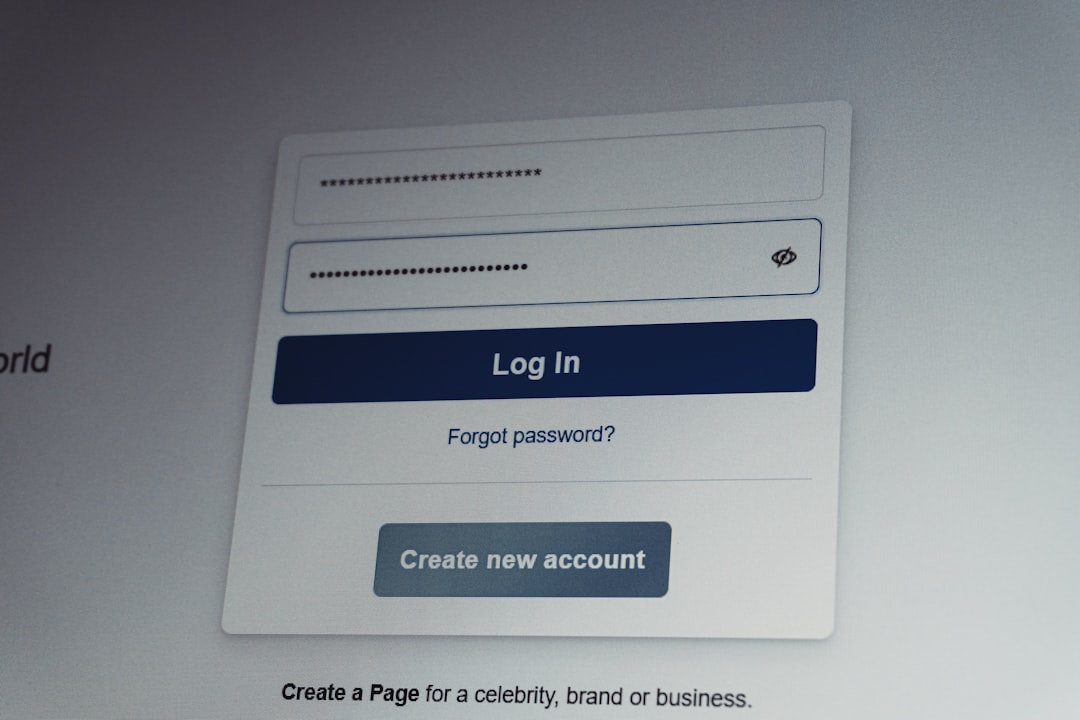
Most apps need logins. Laravel has starter kits such as Breeze and Jetstream. Breeze is a good pick for many projects because it is simple and easy to change.
composer require laravel/breeze --dev
php artisan breeze:install
npm install
npm run dev
php artisan migrate
After that, you get registration, login, password reset basics, and protected routes. Use middleware to guard pages:
Route::middleware('auth')->group(function () {
    Route::resource('tasks', TaskController::class);
});
11. Test the App
Testing is not glamorous, but broken checkout forms are worse. Laravel supports PHPUnit and Pest. Create a feature test:
php artisan make:test TaskTestTest that a logged-in user can create a task. Test validation too. A few practical tests can catch mistakes before users do.
- Can guests access protected pages?
- Does validation reject empty titles?
- Can users see only their own records?
- Does deleting a record work as expected?
12. Prepare for Deployment
Before launch, change production settings carefully. Set APP_DEBUG=false. Generate an app key if needed. Run migrations. Build assets. Cache configuration for better speed.
npm run build
php artisan config:cache
php artisan route:cache
php artisan view:cache
Use queues for slow jobs such as email, reports, and image processing. Add backups. Set up logs. If payments are involved, test failure cases as much as success cases.
Final Checklist
- Install PHP, Composer, database tools, and Node.js.
- Create the Laravel project.
- Configure .env.
- Create routes, controllers, models, and migrations.
- Build Blade views and forms.
- Add validation and authentication.
- Write tests.
- Deploy with caching, logs, backups, and secure settings.
Laravel rewards steady progress. Build one feature, wire it end to end, then repeat. That boring rhythm is how a blank folder becomes a useful web application.
