


Webflow is powerful. It looks sleek. It feels modern. But it is not the only tool in town. In fact, for many designers and developers, it is not even the best choice.
TLDR: Webflow is great, but it is not perfect for everyone. Some tools are easier. Some are cheaper. Some give you more control. Below are six tools that can do website design and development better, depending on your needs.
Let’s explore six tools that might fit you better. Whether you are a beginner, a freelancer, or a full-stack developer, there is something here for you.
1. WordPress + Elementor – The Flexible Giant
WordPress powers over 40% of the web. That is huge. When you combine it with Elementor, you get a visual builder that feels smooth and intuitive.
Why is it better than Webflow?
- More plugins and integrations.
- Better blogging features.
- Huge community support.
- Full ownership of your site.
Elementor makes drag-and-drop design easy. You can build complex layouts without touching code. But if you want code, you can.
It works for:
- Blogs
- Business websites
- Ecommerce stores
- Membership sites
Webflow can feel limiting with integrations. WordPress feels open. It connects to almost anything.

There is a learning curve. But there are thousands of tutorials online. You are never alone.
2. Framer – The Modern Designer’s Dream
Framer is clean. Fast. Beautiful.
If you love simple interfaces and sleek animations, Framer might feel better than Webflow.
Why designers love it:
- Super smooth animations.
- Intuitive UI.
- Fast publishing.
- Feels like designing in Figma.
Framer reduces complexity. Webflow sometimes feels technical. Framer feels friendly.
You can still add custom code. But you do not have to fight the interface to do it.
It is perfect for:
- Startups
- Personal brands
- Landing pages
- Portfolio sites
If your goal is visual storytelling, Framer shines.
3. Wix Studio – Surprisingly Powerful
Wix has changed. A lot.
Wix Studio is not the old drag-and-drop toy builder people remember. It is flexible. Responsive. Smart.
Why it beats Webflow for some users:
- Easier to start.
- Built-in business tools.
- Great ecommerce setup.
- AI design assistance.
Wix Studio makes responsive design simpler. You do not need to think about breakpoints as much. The platform helps you.
It is ideal for:
- Small businesses
- Agencies
- Online stores
- Service providers
Webflow feels like a developer tool. Wix Studio feels like a business tool.
4. Squarespace – Beautiful Out of the Box
Not everyone wants full control. Some people just want stunning templates.
Squarespace delivers that.
It is elegant. Simple. Structured.
Why choose it over Webflow?
- Amazing built-in templates.
- Very beginner-friendly.
- Strong blogging tools.
- Easy content management.
You spend less time designing. More time creating content.
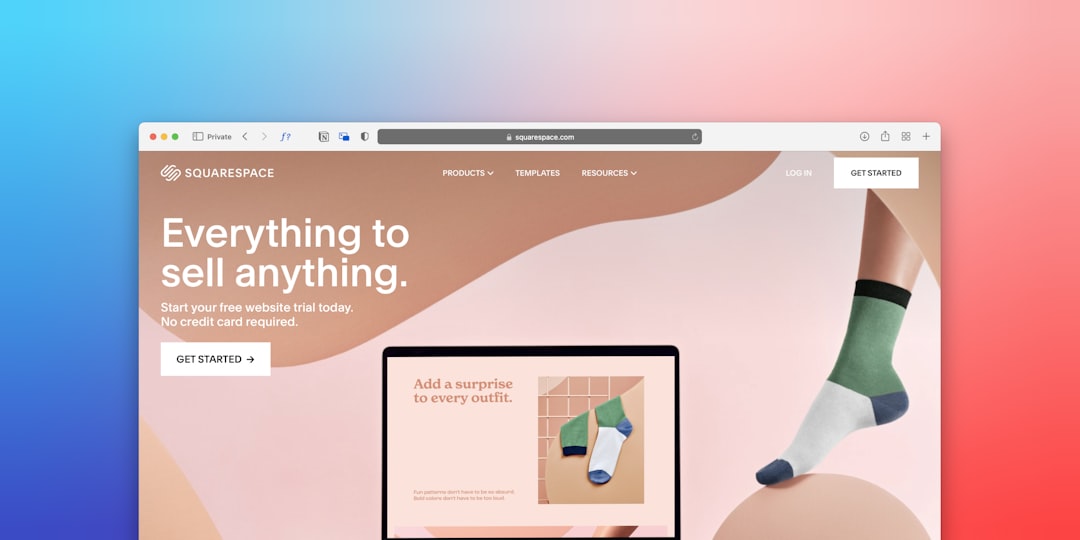
For creatives like photographers or writers, this is gold. Webflow gives you freedom. Squarespace gives you polish.
Sometimes, structure is better than freedom.
5. Shopify – For Serious Ecommerce
Webflow supports ecommerce. But Shopify lives and breathes it.
If you sell products, Shopify is usually better.
Why Shopify wins in ecommerce:
- Advanced inventory management.
- Built-in payment solutions.
- Huge app marketplace.
- Strong checkout optimization.
It handles scale well. Thousands of products? No problem.
You can customize themes. You can even go headless if you want more control.
Shopify is perfect for:
- Dropshipping businesses
- Large online stores
- Subscription brands
- Global ecommerce
Webflow works for small shops. Shopify dominates large ones.
6. Bubble – No-Code App Power
This one is different.
Bubble is not just for websites. It builds web apps.
If Webflow feels limiting, Bubble feels limitless.
Why it can be better:
- Complex workflows.
- User accounts and logic.
- Database control.
- App-like functionality.
You can build:
- Marketplaces
- SaaS platforms
- Social networks
- Internal tools

Webflow focuses on design structure. Bubble focuses on behavior and logic.
If you are building more than a website, Bubble is powerful.
Quick Comparison Chart
| Tool | Best For | Ease of Use | Customization | Ecommerce Strength | Scalability |
|---|---|---|---|---|---|
| WordPress + Elementor | Blogs and business sites | Medium | Very High | Strong with plugins | Very High |
| Framer | Modern landing pages | Easy | High | Limited | Medium |
| Wix Studio | Small businesses | Very Easy | Medium | Strong | Medium |
| Squarespace | Creatives and bloggers | Very Easy | Medium | Moderate | Medium |
| Shopify | Ecommerce stores | Easy | High | Excellent | Very High |
| Bubble | Web apps and SaaS | Medium | Very High | Custom setups | High |
How to Choose the Right One
Do not chase trends. Choose based on goals.
Ask yourself:
- Am I building a simple website or a complex app?
- Do I need advanced ecommerce?
- Do I want total control?
- How technical am I?
- What is my budget?
If you love control and flexibility, WordPress might win.
If you care about modern design and speed, try Framer.
If you want easy business tools, Wix Studio works well.
If you want clean beauty, Squarespace shines.
If you sell at scale, Shopify dominates.
If you are building the next startup idea, Bubble might be your best friend.
Final Thoughts
Webflow is not bad. Not at all.
It is strong. Visual. Developer-friendly.
But it is not magic.
No single tool fits everyone.
The best platform is the one that helps you move fast. The one that feels right. The one that matches your skills.
Sometimes that is Webflow. Sometimes it is not.
The good news? You have options. And great ones.
Explore. Test. Build.
Your perfect website tool is out there.
