 logo
logo
Quick Answer: Spatial Audio is a sound feature that makes music, movies, and games feel more immersive. Instead of audio sounding flat like normal stereo, Spatial Audio creates a 3D-like effect where sound feels like it comes from different directions around you. It is commonly used with AirPods, Dolby Atmos content, and Apple devices.
Have you ever watched a movie with AirPods and felt like the sound was moving around your head instead of coming from just the left and right side? That’s basically what Spatial Audio is trying to do.
The feature became really popular after Apple added it to AirPods and Apple Music, but Spatial Audio is not just some Apple buzzword because it’s actually a way of making sound feel more natural, immersive, and directional, and in this guide I’ll explain what Spatial Audio really does, how it works, which devices support it, and whether it’s even worth using for music, movies, gaming, or regular everyday listening. I remember trying it for the first time on a flight and honestly it felt weird for like five minutes.
What Is Spatial Audio?
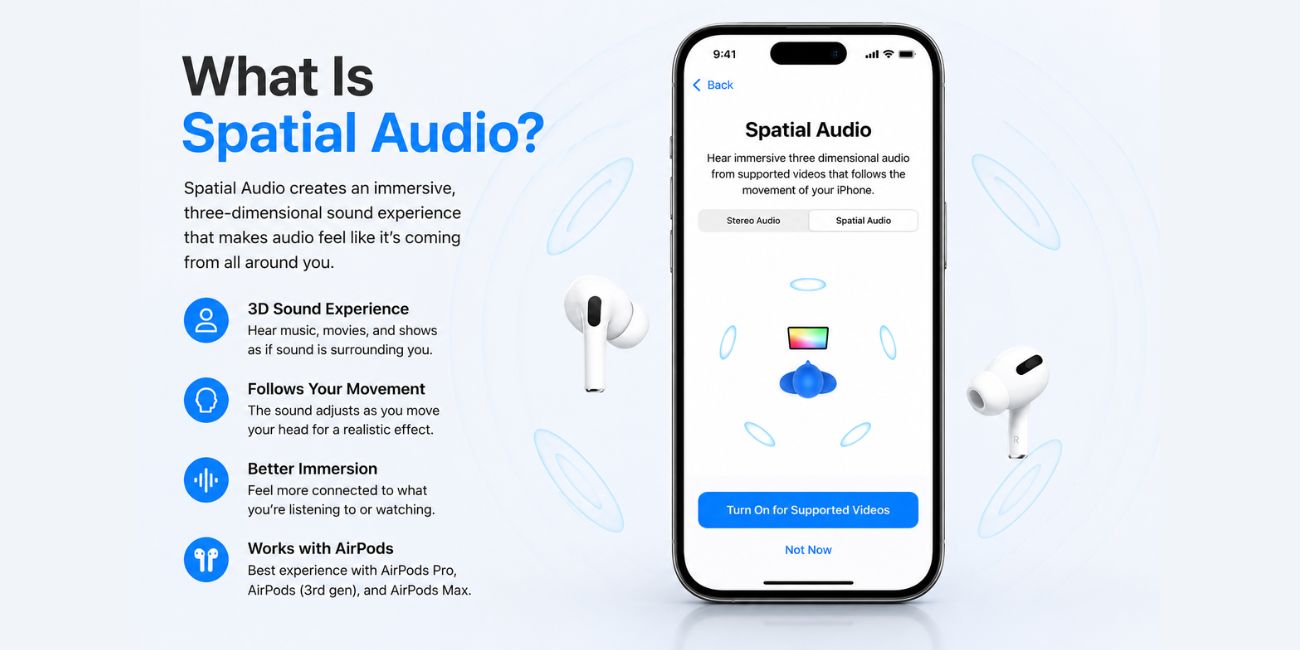 Spatial Audio is a type of audio technology that creates a more immersive listening experience. Instead of sound feeling flat or trapped inside your headphones, it tries to make audio feel like it exists around you in actual space.
Normal stereo audio uses two channels — left and right — and that works perfectly okay for most songs and videos, but it can feel limited sometimes because everything stays stuck inside your ears, while Spatial Audio tries to add more depth and direction so voices may sound like they come from in front of you and background effects may feel farther away or off to one side. Audio technology gets surprisingly complicated for something we barely think about daily.
A simple way to think about it is this: stereo audio sounds like music inside your ears, while Spatial Audio tries to make it feel like sound exists around you.
Movies usually show the biggest difference. Explosions, footsteps, crowd noise, and dialogue can feel more realistic because the sound moves in a more natural way. Music can also sound wider and more layered, especially with Dolby Atmos tracks.
How Spatial Audio Works
Spatial Audio combines software, audio processing, and device sensors to create the effect of directional sound. Apple devices like AirPods Pro and AirPods Max use built-in sensors to track your head movement and adjust the audio in real time.
That part sounds fancy, but the actual idea is pretty simple because if you turn your head while watching a movie the sound stays connected to the screen instead of moving together with your headphones, so if someone talks from the left side of the TV the voice still feels like it’s coming from there even after you move your head around. The first time you notice it, it feels kind of super strange honestly.
Here’s what usually makes Spatial Audio work:
- Head tracking sensors inside supported headphones
- Dolby Atmos or supported 3D audio content
- Compatible apps and streaming services
- An iPhone, iPad, Mac, or another supported device
The head tracking part is what surprises people the most. You move your head, but the audio stays anchored in place. It feels more like listening to real speakers in a room instead of tiny earbuds.
Not every device supports the full experience, though. Some headphones support Spatial Audio without head tracking, while others support both.
Spatial Audio vs Stereo vs Surround Sound
People often mix these audio terms together. They are related, but they are not exactly the same thing, and that confusion happens a lot online because companies market these features in slightly different ways depending on the device or app.
Here’s the easy version:
| Audio Type | How It Sounds | Typical Use |
|---|---|---|
| Stereo Audio | Left and right sound channels | Music, videos, podcasts |
| Surround Sound | Audio from multiple speaker directions | Home theaters, cinemas |
| Spatial Audio | Simulated 3D directional sound | AirPods, movies, games, music |
Stereo is the standard sound most people already use every day. It’s simple and works well, but it does not create much depth.
Surround sound adds more speaker directions, usually through a speaker setup around the room, while Spatial Audio tries to simulate a similar immersive feeling through headphones or earbuds without needing speakers everywhere around you. Home theater setups are honestly expensive sometimes.
This is where people get confused with Dolby Atmos. Dolby Atmos is an audio format that can support 3D sound placement, while Spatial Audio is the listening experience created from that audio processing. They work together often, but they are not literally the same thing.
What Devices Support Spatial Audio?
Spatial Audio support depends on both the device and the headphones you use. Apple devices support it the most smoothly because Apple built the feature directly into iOS, iPadOS, macOS, and AirPods.
Common supported devices include:
- AirPods Pro
- AirPods Max
- AirPods 3
- Some Beats headphones
- iPhone
- iPad
- Mac
- Apple TV
A newer iPhone alone is not enough. You also need compatible headphones and supported content for the full experience.
Actually, some Android phones and headphones also support versions of spatial or 3D audio, but the experience changes depending on the brand and app support, and Samsung, Sony, and a few other companies all have their own versions too. Android audio setups can feel a little messy honestly.
Still, Apple’s setup is the one most people mean when they talk about Spatial Audio.
Does Spatial Audio Work With All Music and Movies?
No. And this part is really important.
Spatial Audio works best with supported content because if a movie, song, or app was not designed for Spatial Audio or Dolby Atmos then the effect may feel weak or barely noticeable even if you have expensive headphones and all the right settings turned on.
For music, Apple Music has a large Dolby Atmos library. Some songs sound amazing with Spatial Audio because instruments and vocals feel more spread out. Other songs sound almost the same as regular stereo. It really depends on the mix.
Streaming services that commonly support Spatial Audio or Dolby Atmos include:
- Apple Music
- Netflix
- Disney+
- Amazon Prime Video
- HBO Max
- Some gaming apps
Regular YouTube videos or older music tracks may not fully support it. Spotify also handles audio differently, so the Spatial Audio effect there may not feel the same as Apple Music Dolby Atmos tracks.
So yeah, not every piece of content gets the “wow” effect people expect.
Is Spatial Audio Worth Using?
For many people, yes. Especially for movies and TV shows.
Spatial Audio can make films feel more cinematic because sound effects seem wider and more realistic, and gaming can also feel more immersive since directional sound helps you notice movement or action around you in a more natural way. Action movies benefit from this stuff a lot more than quiet podcasts honestly.
Music is a little more personal. Some listeners love the wider soundstage. Others feel it changes songs too much and prefer normal stereo audio instead.
Here are the main pros and cons.
Pros
- More immersive sound experience
- Better directional audio feel
- Movies and games sound more cinematic
- Head tracking feels surprisingly realistic
- Some Dolby Atmos music sounds wider and deeper
Cons
- Not all songs or videos support it
- Some people prefer standard stereo
- Battery life may decrease slightly
- The effect can feel strange at first
- Works best with newer devices
To be honest, movies usually benefit more than music. Action scenes, surround effects, and dialogue movement stand out more clearly there.
How to Turn Spatial Audio On or Off
Turning Spatial Audio on is pretty easy if you use AirPods with an iPhone or iPad.
Here’s how:
- Connect your AirPods to your iPhone.
- Open Control Center.
- Press and hold the volume slider.
- Tap Spatial Audio.
- Choose Fixed, Head Tracked, or Off.
“Fixed” keeps the spatial effect active without head tracking.
“Head Tracked” adds movement tracking, so the sound changes direction as you move your head.
A lot of users test both modes for a while before deciding which feels better because some people absolutely love head tracking while others think it feels odd during normal music playback. It’s kind of personal preference at the end.
Common Misunderstandings About Spatial Audio
One common misunderstanding is thinking Spatial Audio automatically improves every song. It doesn’t. If the content was not mixed properly for Dolby Atmos or 3D sound, the difference may be tiny.
Another misunderstanding is that Spatial Audio and Dolby Atmos are identical, but they actually work together in different ways because Dolby Atmos is the audio format while Spatial Audio is the listening experience created through supported devices and audio processing. Audio branding gets confusing really fast.
People also think Spatial Audio only works with Apple Music. Not true. It works with movies, streaming apps, FaceTime, and some games too.
And no, you do not always need AirPods specifically. Some Beats and third-party headphones support similar features, though Apple devices usually provide the smoothest setup.
FAQs About Spatial Audio
Does Spatial Audio work without AirPods?
Yes, but the best experience usually comes with compatible AirPods or supported headphones. Some devices support limited Spatial Audio features without AirPods.
Is Spatial Audio only for Apple Music?
No. Spatial Audio also works with movies, streaming apps, FaceTime, and some games that support 3D or Dolby Atmos audio.
Does Spatial Audio drain battery?
It can slightly reduce battery life because head tracking and audio processing use extra power. For most users, the difference is not huge.
Can Android use Spatial Audio?
Some Android devices and headphones support their own versions of spatial or 3D audio. The exact experience depends on the brand and app support.
Should I keep Spatial Audio on all the time?
That depends on personal preference. Some people keep it on for movies only, while others enjoy it for music and gaming too.
Final Thoughts
Spatial Audio is mainly about making sound feel more immersive and realistic. Instead of audio staying flat inside your ears, it creates a wider and more directional listening experience. Movies, gaming, and Dolby Atmos music usually show the biggest difference.
The feature is impressive, but not every song or video will sound dramatically better because sometimes the effect feels subtle and other times it feels surprisingly immersive depending on the headphones, app, and content you’re using at the moment. The difference can be really good with the right movie though.
Do you prefer Spatial Audio or normal stereo sound for music and movies? Comment with the one you like more.
