 logo
logo
Quick Answer
Google might think you’re not an adult because the birthday on your Google Account is wrong, your age hasn’t been verified yet, or the account is still being managed through Family Link. It can also happen when YouTube, Google Play, or some other Google service just hasn’t refreshed your account details properly.
Most of the time it comes down to your date of birth, age verification, or supervised account settings.
Introduction
It’s confusing when Google thinks you’re not an adult, especially when you actually are old enough. You’ll usually run into this while trying to watch age-restricted YouTube videos, using Google Play, changing some account setting or opening a feature that needs an adult account.
The good news is there’s normally a clear reason behind it. Maybe your account has the wrong birthday, no age proof, or some old Family Link settings hanging around. If this is happening to you, this guide will help you figure out why and what to check first.
Why Google May Think You Are Not an Adult
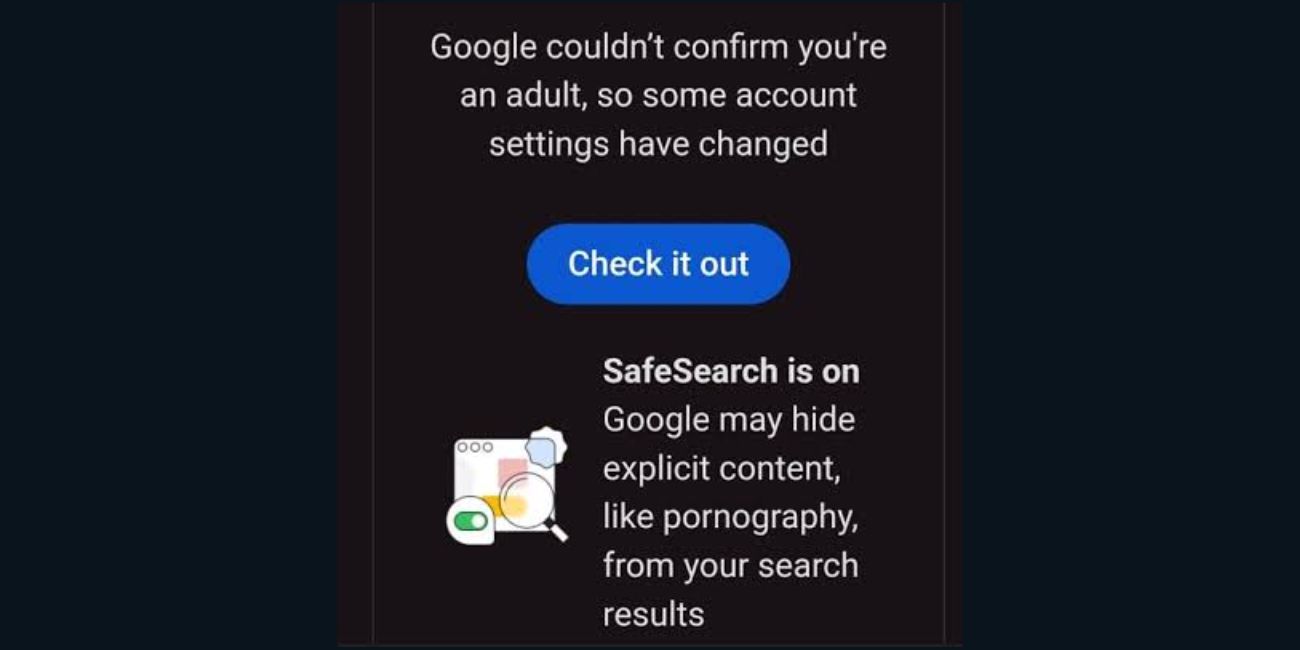 Google uses your account details to decide if certain features should be allowed or limited. The main thing it looks at is your date of birth. If your birthday says you’re under the required age, Google may block adult features or ask you to verify your age.
This doesn’t always mean Google is calling you a child. A lot of the time it just means your account info doesn’t prove you’re an adult. And sometimes the issue is tied to YouTube restrictions, Google Play limits, or Family Link supervision instead.
| Possible Reason | What It Usually Means |
|---|---|
| Wrong birthday on Google Account | Your account age looks under the allowed age |
| Age verification not complete | Google needs proof before allowing adult features |
| Family Link is still active | Your account may still be treated as supervised |
| Country age rules apply | The adult age requirement may depend on your location |
| App or account sync issue | Google apps may not show the updated status right away |
Honestly, the simplest way to think about it is this: Google doesn’t just go off what you say. It looks at your saved account details, and sometimes it asks for verification too. So even if you’re an adult in real life, your account might not show it correctly.
Check Your Google Account Birthday First
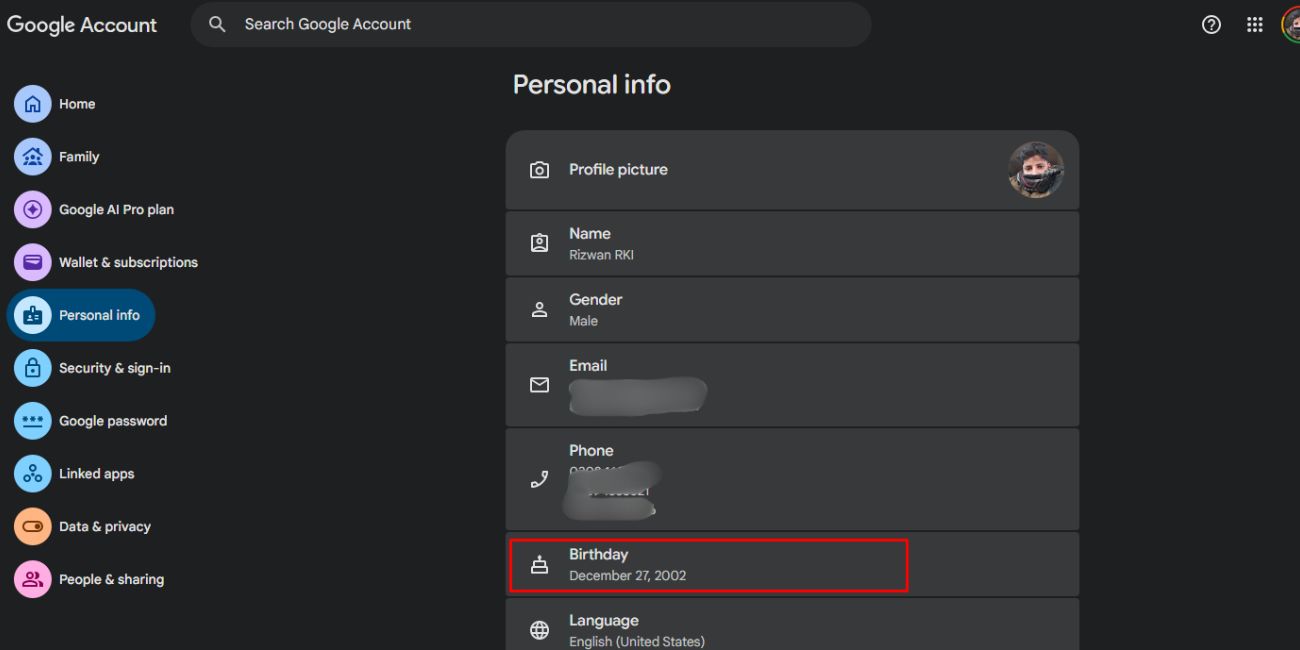 First thing to check is your birthday in your Google Account. This one matters a lot because Google uses your date of birth for age-based settings across a bunch of services. If the year is wrong, even by accident, your account can look underage.
To check it, go to your Google Account settings and open the Personal info section. Find your birthday and make sure the date is right. If it’s wrong, update it carefully. Don’t keep changing it over and over though, because that can sometimes trigger more account review issues.
After you change your birthday, the update might not fix every app right away. You may need to sign out and sign back in, or just wait a bit for Google services to refresh your details. This happens a lot with apps like YouTube or Google Play, since they can hold onto old account data for a little while.
Check If Your Account Is Supervised by Family Link
Another big reason Google may think you’re not an adult is Family Link. If your account was set up as a child account or managed by a parent at some point, it might still have supervision settings turned on.
A supervised account can have limits even when your birthday looks correct. Some content, apps, payments, privacy settings, or YouTube features may still be restricted just because the account is managed. This is where it gets tricky, because people usually assume the birthday is the only thing that matters.
Check whether your account is linked with Family Link or a parent manager. If it is supervised, you may need the parent or manager account to change or remove the supervision. The exact options depend on how the account was set up and your current age.
Don’t skip this part if your Google Account was made when you were younger. Old supervision settings can stick around and cause adult access problems later. It happens more than you’d think.
How to Fix It If You Are Actually an Adult
If you’re actually an adult and Google still treats your account like it’s underage, start with the easy stuff first. Don’t jump straight to making a new account unless you really have to. A lot of the time it can be fixed right from your account settings.
1. Check your birthday in Google Account
- Open your Google Account settings and check the birthday under Personal info.
- Make sure the date, month, and year are all correct.
- This is the main thing Google uses for age-based access, so check it first.
2. Complete age verification if Google asks for it
- Sometimes Google asks you to verify your age before letting you use certain features.
- This can pop up on YouTube or other Google services.
- If you see an official age verification message, just follow the steps on the screen.
3. Make sure you are using the right Google Account
- Lots of people have more than one Google Account.
- You might be signed into an old school account, a child account, or a family-managed one without even realizing.
- Check the profile picture or email at the top right and confirm you’re on the right account.
4. Check Family Link settings
- If your account is supervised, normal age changes might not be enough.
- Open Family Link, or ask the parent manager to check the account status.
- If supervision is still active, it can keep blocking adult features.
5. Sign out and sign back in
- After changing your birthday or finishing verification, sign out of the Google app or browser.
- Then sign back in.
- This can help YouTube, Google Play, and other services refresh your details.
6. Update your Google apps
- If the problem only shows up inside an app, update it from your app store.
- Older app versions sometimes don’t show your latest account status.
- Small thing, but yeah, it can help sometimes.
7. Clear cache for YouTube or Google Play
- If only one app is acting up, it might be using old saved data.
- Clear the cache from your phone settings, then open the app again.
- You don’t need to wipe all your phone data, just the app cache if the option is there.
8. Contact Google support if nothing works
- If your birthday is correct, your account isn’t supervised, and verification is done, then it might need actual account support.
- Use the help option tied to the Google service where the problem shows up.
The main thing is to go step by step. Check the account birthday, then supervision, then the app refresh stuff. Most people find the reason somewhere in those three areas.
Common Mistakes to Avoid
- One common mistake is changing the birthday a bunch of times. If it’s wrong, fix it carefully once. Repeating the change can make the account look suspicious or confusing, and it won’t really speed anything up.
- Another one is checking the wrong account. This happens all the time on phones and shared computers. You might be logged into one Google Account in your browser and a totally different one in YouTube or Google Play.
- Also, don’t assume the change shows up everywhere instantly. Google services can need a little time to refresh. Signing out and back in helps, but some checks still take longer depending on the service.
- And if Family Link is involved, don’t only focus on the birthday. A supervised account can still have limits because of parent settings. In that case the supervision status matters just as much as the age on the account.
Mostly Asked FAQs
Why does YouTube say I am not old enough?
YouTube might say you’re not old enough if your Google Account birthday shows you’re under the required age. It can also happen if YouTube needs age verification, or if you’re using a supervised account.
Can I change my age on Google?
You can update your birthday in your Google Account settings if the info is wrong. But changing it might not instantly remove all the limits. Some services may still ask for age verification.
Why is Google asking me to verify my age?
Google asks for age verification when it needs to confirm your account belongs to an adult. This is more common when you try to open age-restricted content or certain account features.
What if my birthday is correct but Google still blocks me?
Check if your account is supervised through Family Link. Also make sure you’re signed into the right Google Account. If everything looks fine, try signing out, updating the app, clearing cache, or going to Google support.
Can Family Link make Google think I am not an adult?
Yeah, Family Link can keep some restrictions active if your account is still supervised. Even if your birthday looks correct, the account may still follow parent-managed settings.
Final Thoughts
If Google thinks you’re not an adult, it’s usually not random. It normally comes from your birthday, age verification, Family Link supervision, or an app that just hasn’t refreshed your account status yet. Start with your Google Account personal info, then check if the account is supervised, and after that try the simple app fixes.
Have you run into this on YouTube, Google Play, or your main Google Account settings? Comment where it happened, because the fix can be a little different depending on the Google service.
