 logo
logo
Choose Canva for fast marketing output and Figma for product design, interface work, and serious team collaboration. Canva is best when the goal is to publish something polished today. Figma is best when the design must turn into a product, survive feedback, and stay editable across versions.
TLDR: Canva wins for social posts, pitch decks, flyers, ads, and brand kits that non-designers can update without panic. Figma wins for apps, websites, design systems, prototypes, and handoff to developers. For example, a small marketing team creating 40 Instagram posts a month will likely move faster in Canva, while a product team shipping a mobile app with 120 screens will save more time in Figma. If 70% of your work is content production, pick Canva; if 70% is interface design, pick Figma.
Canva and Figma solve different problems
Canva is a design production tool. It helps people make finished visuals with minimal setup. You open a template, change text, swap images, adjust colors, and export. That simple flow is the whole point.
Figma is a design workspace. It is built for creating interfaces from scratch, testing layouts, documenting design rules, and working with developers. It gives designers more control, but it also asks for more skill.
The mistake is treating them as rivals in every situation. They overlap a little, sure. You can make a presentation in Figma. You can mock up a webpage in Canva. But doing that all day can get annoying fast.
Where Canva feels better
Canva shines when speed matters more than pixel-level control. It is great for teams that need attractive content without waiting for a designer every single time.
- Social media graphics: Instagram posts, stories, TikTok covers, LinkedIn banners, Pinterest pins.
- Marketing materials: flyers, posters, brochures, menus, coupons, event graphics.
- Presentations: sales decks, internal reports, training slides, classroom material.
- Brand assets: logos for early ideas, simple brand kits, reusable templates.
- Quick video content: short clips, animated posts, basic promo videos.
Its biggest strength is that non-designers can use it without breaking everything. A founder can update a pitch deck. A teacher can build a worksheet. A social media manager can prepare a month of posts from one branded template set.
Canva also makes exporting simple. Need a PNG, PDF, MP4, or print-ready file? Usually, it takes a few clicks. That matters when your deadline is not “next sprint” but “before lunch.”
The catch is that Canva can feel boxed in. Try building a complex interface with reusable component states, spacing tokens, and developer notes, and things start to feel clumsy. You can force it, but you will feel the friction.
Where Figma feels better
Figma is made for product thinking. It is less about making one graphic and more about creating a system that can grow.
- Website design: landing pages, responsive layouts, ecommerce pages, dashboards.
- App design: mobile apps, web apps, tablet layouts, admin panels.
- Prototyping: clickable flows, user journeys, interactive demos.
- Design systems: buttons, forms, icons, color styles, typography rules.
- Developer handoff: specs, measurements, assets, comments, component logic.
Figma’s best feature is not just vector editing. It is structure. Components, variants, auto layout, shared libraries, and comments help teams keep work consistent. Change one primary button and every approved instance can update. That alone can save hours on a large web or app project.
Figma is also stronger for feedback. Designers, product managers, engineers, and clients can comment directly on the file. Prototypes can be shared before anything is built. This reduces the usual “that is not what I meant” mess that appears late in projects.
Honestly, it feels like Figma punishes casual users at first. Auto layout is powerful, but the first week can be irritating. Expect to spend 30 seconds fixing a frame that collapsed because one setting was wrong. Once it clicks, though, it becomes hard to work without it.
Image not found in postmeta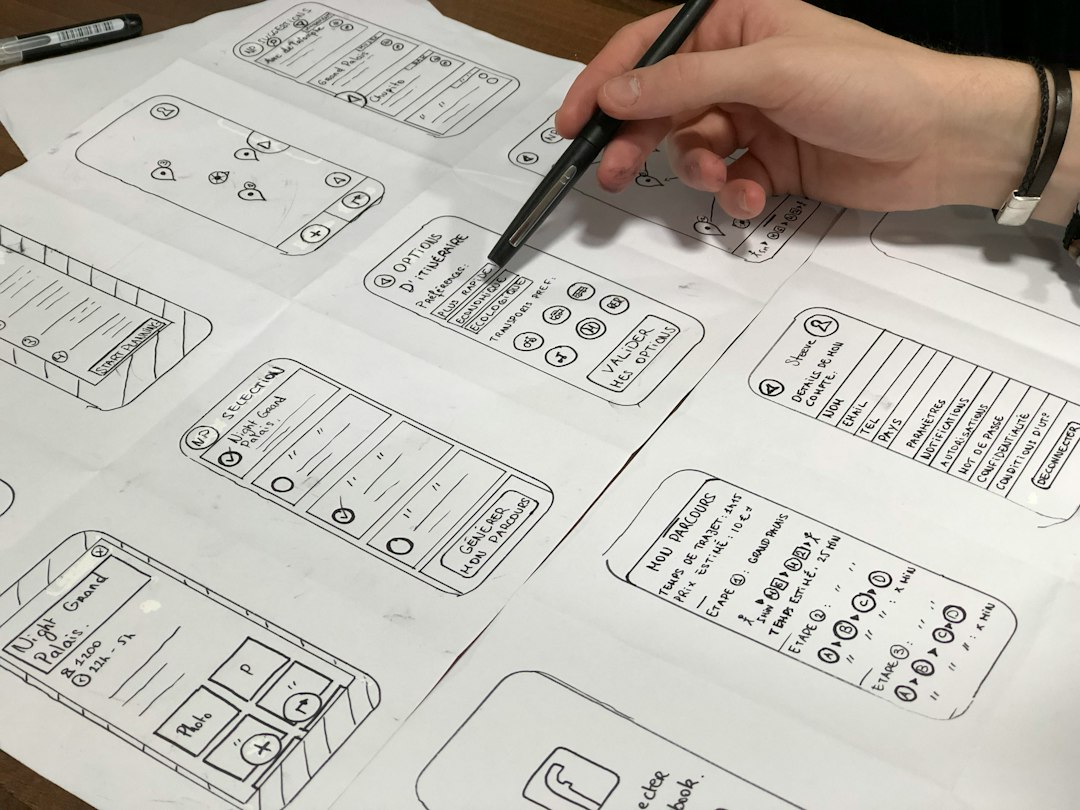
Ease of use: Canva is friendlier
Canva has the softer learning curve. Most users can make something decent within 10 minutes. The interface is full of templates, stock photos, icons, fonts, and preset layouts. It encourages quick decisions.
Figma takes longer. New users must understand frames, constraints, layers, components, styles, and grids. None of this is bad. It is just not as forgiving. The reward is precision and scalability.
If your team includes sales staff, coaches, assistants, real estate agents, or small business owners, Canva is usually the safer choice. If your team includes UI designers, UX researchers, engineers, and product managers, Figma will fit better.
Collaboration: both are good, but for different teams
Canva collaboration is ideal for content teams. You can create branded templates, share folders, leave comments, and let teammates edit approved designs. The brand kit feature helps keep colors, fonts, and logos consistent. This is useful when five people are making posts and you do not want neon green text appearing on a luxury brand graphic.
Figma collaboration is deeper. Multiple people can work inside the same design file at the same time. Comments stay tied to exact objects. Developers can inspect spacing, colors, and assets. Product teams can use shared libraries to keep patterns consistent across huge projects.
So the question is not “which tool collaborates better?” The better question is: what kind of work are people collaborating on?
Templates vs systems
Canva is built around templates. That is its superpower. A template helps you move from blank page to finished design fast. For marketing content, this is perfect.
Figma is built around systems. A system helps you keep many screens and flows consistent over time. For software and websites, this is critical.
Think of Canva as a kitchen stocked with ready-made meal kits. Think of Figma as a professional kitchen where you control every ingredient, tool, and recipe. One is faster. The other is more flexible.
Branding and visual consistency
Canva is excellent for basic brand control. You can store logos, colors, typefaces, and templates. This keeps everyday content on-brand, even when made by people who are not trained designers.
Figma handles brand consistency at a more technical level. Styles and components can define how products behave visually. That includes button states, form fields, cards, menus, and spacing rules. This matters when your brand appears inside a product, not just on a poster.
Pricing and value
Canva often feels cheaper for small teams because it replaces several needs at once: stock assets, templates, simple video editing, presentations, and print designs. For creators and small businesses, that value is easy to see.
Figma’s value shows up when projects become complex. It can reduce rework between designers and developers. It can also prevent messy files, inconsistent screens, and repeated design decisions. For a product team, that can matter more than the subscription cost.
Which tool should you choose?
Pick Canva if:
- You need polished graphics quickly.
- Your team includes many non-designers.
- You create lots of social, print, and presentation content.
- You prefer templates over building layouts from scratch.
- Your work ends as a post, PDF, slide deck, or short video.
Pick Figma if:
- You design websites, apps, or digital products.
- You need prototypes and user flows.
- You work closely with developers.
- You maintain a design system.
- Your work must scale across many screens and states.
The smartest teams often use both
Many teams do not need to choose only one. A product designer may build the app interface in Figma, then the marketing team may use Canva to create launch posts, ads, webinar slides, and email graphics. That split works well.
Use Figma for the product. Use Canva for promotion. Keep the source of truth clear, and you avoid file chaos.
The simplest rule is this: Canva helps you publish faster; Figma helps you design better products. If your workflow is content-heavy, Canva will feel natural. If your workflow is product-heavy, Figma is the better fit.
