 logo
logo
Creating a memorable and professional brand identity starts with a strong logo. For many entrepreneurs, startups, and small businesses, hiring a designer may not be an immediate option. Fortunately, the internet offers a diverse range of logo generator tools that simplify this process. These tools have become incredibly popular due to their affordability, flexibility, and user-friendly interfaces. Below is an in-depth look at 17 logo generator tools that make branding effortless for businesses of all sizes.
1. Design.com
Design.com logo maker has earned its spot as one of the most trusted and feature-rich logo makers available today. With a 4.7 Trustpilot rating and over 3,000 positive reviews, it’s become a go-to platform for anyone who needs a professional logo without hiring a designer.
The platform stands out for its massive template library, polished designs, and smooth editing tools that make branding accessible to all skill levels. Every template is also created by top-tier designers around the world, ensuring each logo looks polished, modern, and ready to use anywhere. Whether you’re launching a business, refreshing your brand, or simply exploring ideas, Design.com gives you professional-grade results with zero technical hassle.
Key Features of Design.com
- Largest Logo Library: 360,000+ logo templates and more than 1 million total design templates, covering every industry and style.
- Expertly Designed Assets: Templates are crafted by top designers (not pulled from stock libraries!), ensuring professional, original, and high-quality visuals.
- Exclusive Design Resources: Refine your logos using over 525+ premium fonts and 62,000+ icons only available within Design.com.
- Commercially Safe Designs: All templates are originality-checked, 100% commercially safe, with optional extended licenses for exclusive use.
- AI-Powered Creation Tools: Get access to smart tools like AI logo generator, AI website builder, AI business cards, flyers, posters, presentations, name generator, and background remover.
- Easy, Beginner-Friendly Editing: Drag-and-drop interface allows even novices to customize logos and achieve professional results
- Flexible File Formats: Download in SVG, EPS, PDF, PNG, JPG, GIF, and MP4—including transparent, print-ready, and icon-only versions.
- Branding Toolkit: 50+ additional tools for websites, business cards, social media graphics, menus, letterheads, and more.
- Extensive Customer Support: 24/7 help via live chat and email.
- 7 Languages Supported: English, Spanish, French, German, Portuguese, Canadian French, and Brazilian Portuguese
- 9 Currencies Accepted: USD, AUD, GBP, EUR, INR, PHP, BRL, MXN, and ZAR
Pricing:
- Design.com lets you browse and customize designs for free. Free templates are available across logos, websites, business cards, and more.
- To download premium templates, a paid plan is required, starting at $15/month.
Best for: Small businesses, entrepreneurs, and creators who want high-quality logos fast
2. BrandCrowd
BrandCrowd’s logo maker makes it easy and convenient to create polished, professional logos without hiring a designer. With thousands of ready-made templates and an intuitive editor, it’s a fast way to build a brand identity for any business or project.
Whether you’re launching a café, a tech startup, or a personal brand, BrandCrowd offers a wide variety of design styles and industry-specific templates. Every logo is crafted by professional designers, not pulled from stock libraries, ensuring unique, high-quality visuals that are ready for use across web, print, and social media.
Key Features of BrandCrowd
- Extensive Logo Library: Over 300,000 templates spanning a wide range of industries and styles.
- Original, Professional Designs: All templates are crafted by experienced designers, delivering unique and high-quality visuals.
- Variety Across Styles & Industries: Templates cover nearly every niche, ensuring a suitable design for almost any business.
- AI Logo Generation: Quickly generate logos and explore design options with AI-assisted creations.
- Beginner-Friendly Editor: Drag-and-drop interface makes it easy for non-designers to customize fonts, colors, icons, and layouts with professional results.
- Flexible File Downloads: Download logos in PNG, SVG, EPS, PDF, or high-resolution formats, ready for web, print, and social media.
- Branding Tools: Create business cards, social media graphics, and other brand materials directly from your logo.
- Commercially Safe Designs: All logos come with commercial usage rights, with optional exclusive rights for full ownership.
- Customer Support: Responsive email and live chat support to help you with any questions or issues.
- Fast and Convenient: Generate a professional logo quickly without prior design experience.
Pricing: BrandCrowd allows you to browse and customize logos for free. Paid plans are required to download premium templates, starting at $9 per month.
Best for: Startups and solopreneurs looking for designer-quality logos fast.
3. Looka
Looka (formerly known as Logojoy) uses AI to generate custom logo designs. Users answer a few questions about their brand preferences, and the system delivers various professional options.
- Key Features: High customization, branding kit included, social media assets
- Best For: Startups and freelancers
4. Canva Logo Maker
Canva provides a versatile platform not just for logo design but for creating all brand assets. It’s especially suitable for non-designers due to its drag-and-drop interface.
- Key Features: Templates, icons, fonts, integration with brand kit
- Best For: Small businesses and personal brands
5. Hatchful by Shopify
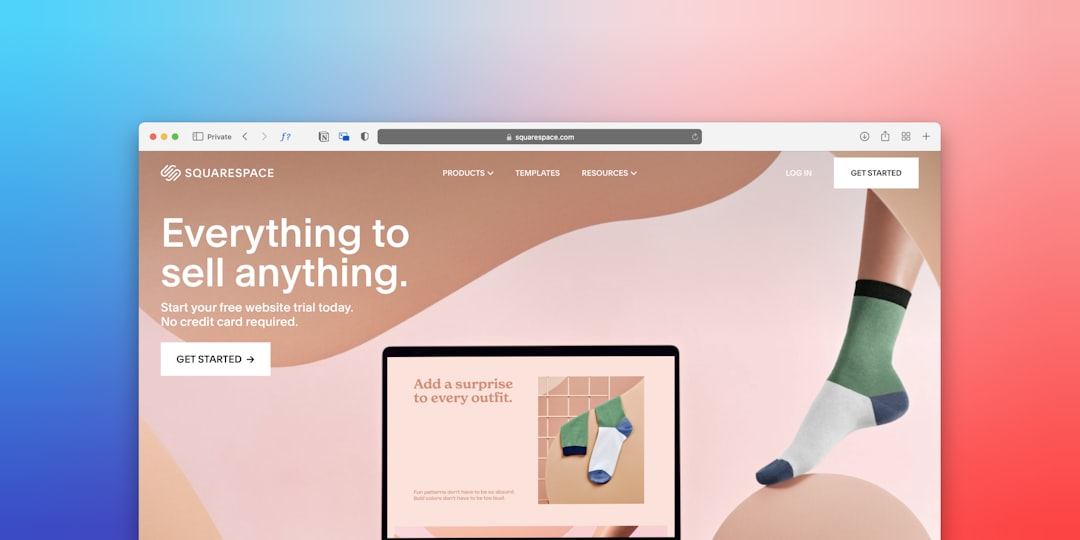
Hatchful is a free logo generator tool from Shopify. It provides tailored designs based on your industry and aesthetics, making it simple to kickstart your brand image.
- Key Features: Free visual assets, multiple customization options
- Best For: E-commerce startups
6. Tailor Brands
Tailor Brands offers an AI-powered logo and branding suite, perfect for businesses wanting a complete branding solution. It also helps with website design and social media marketing.
- Key Features: AI-powered logo design, brand analytics
- Best For: New businesses looking for all-in-one branding
7. Wix Logo Maker
Wix isn’t just a website builder; it also provides a logo design tool that generates logos based on your style and business needs.
- Key Features: Integrates with Wix website creator, vector downloads
- Best For: Entrepreneurs already using Wix
8. LogoMakr
LogoMakr offers a simple and fast design interface. Though the design process is slightly manual, it gives users more control over individual elements.
- Key Features: Drag-and-drop interface, start designing immediately
- Best For: DIY-minded business owners
9. Namecheap Logo Maker
Namecheap offers a surprisingly robust logo generator for a domain registrar. Completely free, this tool walks users through a process to create a basic brand logo.
- Key Features: 100% free download, easy interface
- Best For: Budget-conscious businesses
10. Brandmark
Brandmark creates business logos using artificial intelligence. Known for producing aesthetically pleasing designs, it also offers complete branding kits.
- Key Features: Advanced AI engine, matching brand assets
- Best For: Design-savvy users seeking unique logos
11. Ucraft Logo Maker
Ucraft allows users to create and export logos in high resolution. While it doesn’t offer AI-driven suggestions, it provides essential tools for sketching custom logos.
- Key Features: Free SVG export, real-time editing
- Best For: Users needing vector logos
12. DesignEvo
DesignEvo offers more than 10,000 templates, making it one of the most content-rich logo generators. Ideal for beginners who prefer templates over starting from scratch.
- Key Features: Large template library, cloud storage
- Best For: Non-designers who value speed
13. LogoMaker (by Deluxe)
LogoMaker is one of the original online logo generators. It provides both free and paid logo options and is backed by the branding company Deluxe.
- Key Features: Easy interface, professional print-ready files
- Best For: Small to mid-sized businesses
14. Zyro Logo Maker
Zyro offers minimalistic design capabilities with a user-friendly layout. Users can build logos and use them immediately across various media platforms.
- Key Features: Free logo generator, simplicity and speed
- Best For: Solopreneurs and freelancers
15. Fotor Logo Maker
Fotor specializes in graphic design tools and includes a competent logo generator. The designs lean more toward modern and vibrant styles.
- Key Features: Attractive interface, thousands of design elements
- Best For: Creative industries
16. Turbologo
Turbologo is a premium tool offering fast turnaround for logo designs. It uses input from users to generate a truly customized experience.
- Key Features: Industry-based recommendations, comprehensive brand assets
- Best For: Businesses seeking unique, upscale branding
17. GraphicSprings
GraphicSprings allows users to either create logos via templates or start from scratch. The layout is similar to professional design software but simplified for usability.
- Key Features: Editable shapes and fonts, business card generator
- Best For: Advanced users seeking flexibility
Conclusion
In an age where first impressions matter more than ever, having a professional and eye-catching logo is vital. Whether you’re a sole proprietor, a startup, or a growing business, these logo generator tools offer a range of solutions to make branding not only easy but enjoyable. With the right tool, high-quality design is just a few clicks away, providing a great starting point for building brand recognition and trust.
Frequently Asked Questions
- Q: Are logo generator tools free?
A: Many tools offer free versions or trial periods, but high-resolution downloads and additional branding assets often require payment. - Q: Can I trademark a logo made with a logo generator?
A: Yes, as long as the logo is unique and not stolen or copied, you can trademark it. Some tools also offer licensing options. - Q: How can I choose the best logo generator for my business?
A: Consider your budget, design skills, and branding goals. Tools like Looka or Tailor Brands are great for automated design, while Canva offers more manual design freedom. - Q: Can I edit the logo after downloading it?
A: Some tools allow re-editing even after downloading, especially if they store your project online. Always check if the tool offers layered files like SVG or editable PDFs. - Q: Which logo format should I use for web and print?
A: Use PNGs for web due to their transparency and small size. For print, SVG or EPS formats are ideal as they maintain quality at any resolution.
