


Online whiteboards have transformed the way teams brainstorm, plan, and execute ideas—especially in an era of remote and hybrid work. While Miro has become one of the most recognizable platforms in this space, it is far from the only option available. Whether you are looking for advanced collaboration features, better pricing, tighter integrations, or a simpler interface, there are many powerful alternatives worth exploring.
TLDR: Miro is a leading online whiteboard tool, but several excellent alternatives offer competitive features for collaboration, brainstorming, and visual project management. Platforms like Mural, Lucidspark, Microsoft Whiteboard, Stormboard, ClickUp, and FigJam each bring unique strengths to the table. Choosing the right tool depends on your team size, workflow, integrations, and budget. Below, we compare the top apps and highlight their key advantages.
Modern digital whiteboards go beyond simple drawing spaces. They support real-time collaboration, integrate with popular productivity tools, and offer templates for everything from agile workflows to product roadmaps. As teams become more distributed, these platforms are essential for maintaining creativity and alignment.
What Makes a Great Online Whiteboard?
Before diving into the alternatives, it’s important to understand what features truly matter. A robust whiteboard solution typically includes:
- Real-time collaboration with live cursors and comments
- Templates for brainstorming, design thinking, Kanban boards, and retrospectives
- Integrations with tools like Slack, Jira, Google Workspace, and Microsoft 365
- Export and sharing options for presentations and reports
- User-friendly design that minimizes onboarding friction
Now, let’s explore some of the strongest alternatives to Miro.
1. Mural
Mural is one of the most direct competitors to Miro and is designed specifically for visual collaboration. It focuses heavily on structured workshops and guided facilitation.
Key strengths:
- Facilitation-focused tools like timers and voting
- Extensive workshop templates
- Strong enterprise security features
Mural is particularly well-suited for design thinking workshops, agile ceremonies, and strategic planning sessions.

2. Lucidspark
Lucidspark, from the makers of Lucidchart, combines diagramming strength with collaborative ideation. It is ideal for teams that need structured flows alongside creative brainstorming.
Why choose Lucidspark?
- Seamless integration with Lucidchart
- Data linking and diagram overlays
- Intuitive drag-and-drop interface
Lucidspark stands out when you need to turn ideas into more technical or process-driven diagrams quickly.
3. Microsoft Whiteboard
For teams already embedded in the Microsoft ecosystem, Microsoft Whiteboard offers a streamlined experience integrated with Teams and OneDrive.
Notable benefits:
- Deep integration with Microsoft Teams
- Automatic saving in OneDrive
- Free option included in many Microsoft plans
While it may lack some advanced workshop tools found in Miro or Mural, its simplicity makes it a strong choice for everyday collaboration.
4. Stormboard
Stormboard emphasizes structured ideation and reporting. It captures ideas in “sticky notes” and turns them into actionable reports.
What sets Stormboard apart:
- Built-in reporting features
- Advanced data export to PDF and Excel
- Strong compliance and security controls
This makes Stormboard appealing for regulated industries or corporate environments where documentation is critical.
5. ClickUp
ClickUp is primarily a project management platform, but its Whiteboards feature adds collaborative visual planning to its robust toolkit.
Why consider ClickUp?
- Whiteboards linked directly to tasks
- All-in-one workspace for docs, tasks, and chat
- Competitive pricing structure
If you want your brainstorming sessions tightly connected to execution, ClickUp offers a compelling solution.
6. FigJam
Developed by the creators of Figma, FigJam is a collaborative whiteboard tool built for designers and product teams.
Core advantages:
- Seamless integration with Figma design files
- Playful and highly visual interface
- Excellent for wireframing and early-stage ideation
FigJam is especially beneficial for teams that operate in design-heavy workflows.
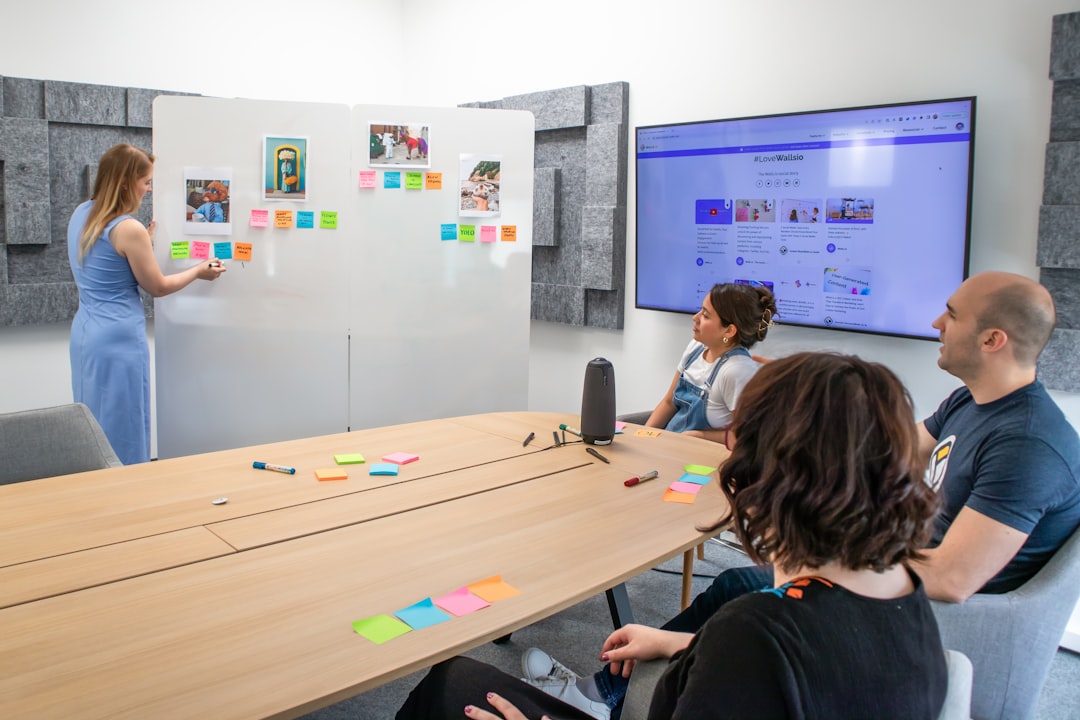
Comparison Chart: Apps Like Miro
| Tool | Best For | Integrations | Free Plan | Standout Feature |
|---|---|---|---|---|
| Mural | Facilitated workshops | Slack, Jira, Teams | Limited trial | Advanced facilitation tools |
| Lucidspark | Structured diagrams | Lucidchart, Google | Yes | Data-linked visuals |
| Microsoft Whiteboard | Microsoft users | Teams, OneDrive | Yes | Native Teams integration |
| Stormboard | Corporate reporting | Office, Google | Yes | Built-in reporting |
| ClickUp | Project execution | 1000+ apps | Yes | Task-linked whiteboards |
| FigJam | Design teams | Figma ecosystem | Yes | Design-first environment |
How to Choose the Right Alternative
With so many options, selecting the right tool may feel overwhelming. Consider these factors:
- Team size: Larger enterprises may require advanced security and compliance.
- Workflow integration: Does your team rely on Jira, Microsoft Teams, or Figma?
- Ease of use: Simpler tools reduce onboarding time.
- Budget: Free plans vary significantly in features.
- Purpose: Brainstorming, project management, or design collaboration?
For example, a startup product team might lean toward FigJam for rapid prototyping, while a consulting firm running workshops might prefer Mural.
Emerging Trends in Online Whiteboards
The market continues to evolve quickly. Here are several notable trends shaping the future of digital collaboration:
- AI-powered idea generation and clustering
- Smart templates that adapt to project context
- Deeper video conferencing integration
- Automated meeting summaries
Many platforms now incorporate AI to group sticky notes, summarize discussions, and even suggest next steps. These enhancements reduce administrative overhead and allow teams to focus on creativity.

Final Thoughts
While Miro remains a leading player in the online whiteboard arena, it is not a one-size-fits-all solution. The best alternative depends on your specific needs—whether that’s structured facilitation, seamless diagramming, tight project management integration, or a design-first environment.
As remote work continues to redefine collaboration, investing in the right whiteboard tool can significantly enhance team productivity and engagement. By carefully evaluating features, scalability, and integration capabilities, you can find a platform that not only matches Miro’s functionality but potentially exceeds it for your unique workflow.
Ultimately, the goal is simple: empower your teams to think visually, collaborate seamlessly, and turn ideas into action.
