


In today’s competitive marketplace, a well-designed business card remains one of the most powerful offline branding tools. Despite the rise of digital networking, professionals across industries continue to rely on thoughtfully crafted cards to make memorable first impressions. With modern business card generators, creating stunning, industry-specific designs no longer requires advanced design skills or a large budget. The right platform can help transform a simple card into a strategic branding asset.
TLDR: Business card generators offer industry-tailored templates, fast customization, and affordable printing options for professionals in every field. From real estate agents to creative freelancers, the right tool can significantly enhance networking impact. This guide compares top platforms, highlights key features, and recommends options based on industry needs. A comparison chart and FAQs at the end help simplify the decision-making process.
Why Business Card Generators Matter
A business card is more than contact information—it is a tangible representation of a brand. Modern generators provide:
- Professional templates tailored to specific industries
- Drag-and-drop editors for easy customization
- Print-ready formatting with correct bleed and margins
- Digital card options for virtual networking
- Brand consistency tools, including font and color matching
Whether someone works in real estate, healthcare, technology, or hospitality, choosing the right generator ensures industry-appropriate design and credibility.
Key Features to Look For
Before selecting a tool, professionals should consider several factors:
- Industry-specific templates
- Customization flexibility
- Print and digital compatibility
- Integration with brand assets
- Affordable pricing tiers
Different industries demand different visual approaches. A corporate consultant may require minimalist sophistication, while a graphic designer may prefer something bold and unconventional.
Pro Picks: Best Business Card Generators by Industry
1. Canva – Best for Creative Professionals
Canva stands out for its versatility and ease of use. With countless customizable templates, it works especially well for:
- Graphic designers
- Photographers
- Marketing consultants
- Freelancers
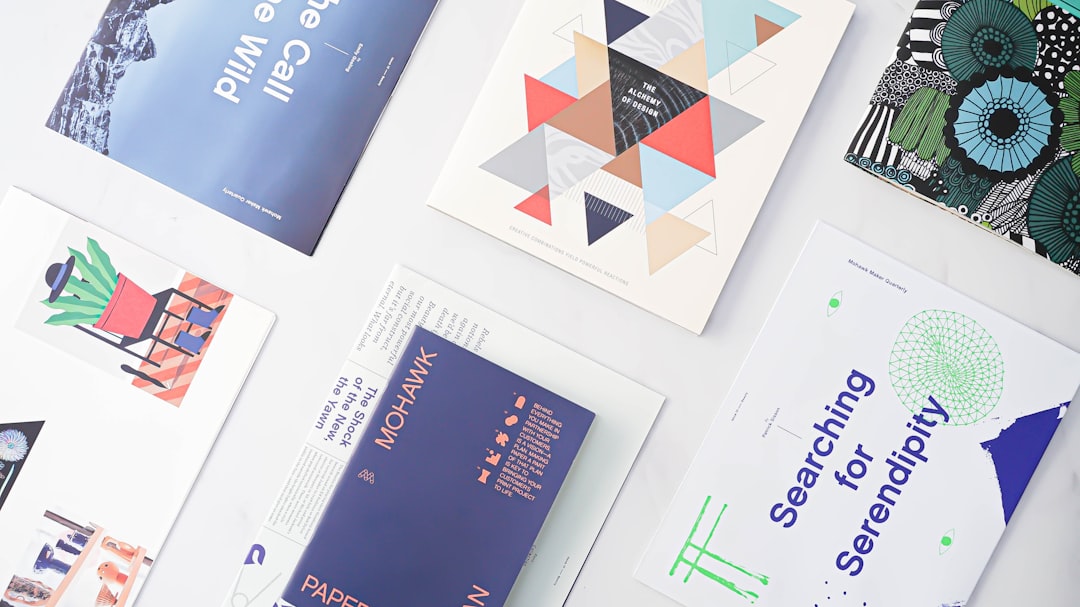
Its intuitive editor allows users to experiment with typography, color palettes, and imagery. Creative industries benefit from Canva’s flexibility and visual depth.
2. Vistaprint – Best for Small Businesses and Retail
Vistaprint combines design tools with professional printing services, making it ideal for:
- Retail store owners
- Restaurants and cafes
- Salons and spas
- Local service providers
The platform offers streamlined customization and paper stock choices, including matte, gloss, and textured finishes. For business owners who want a one-stop solution, it remains a strong contender.
3. Adobe Express – Best for Branding Consistency
Adobe Express delivers advanced creative control with simplified workflows. It is well-suited for:
- Corporate professionals
- Consultants
- Technology startups
- Agencies
The platform integrates well with other Adobe tools, ensuring brand assets remain consistent across marketing materials.
4. Tailor Brands – Best for Startups
Startups often need cohesive branding from the outset. Tailor Brands provides logo creation alongside business card generation, helping:
- Entrepreneurs
- Tech founders
- E-commerce businesses
This option is ideal for those who want to build brand identity and print collateral simultaneously.
5. Zazzle – Best for Unique and Custom Materials
Zazzle stands out for unconventional finishes and creative flair. It’s particularly valuable for:
- Artists
- Event planners
- Wedding professionals
- Luxury service providers
Users can explore metal cards, square formats, and other distinctive options that elevate brand perception.
6. VistaCreate – Best Budget-Friendly Alternative
For those seeking affordability without sacrificing quality, VistaCreate offers a balanced option. Freelancers and independent consultants often appreciate its cost-effective plans and straightforward interface.
Comparison Chart
| Platform | Best For | Ease of Use | Customization Level | Print Services | Price Range |
|---|---|---|---|---|---|
| Canva | Creative professionals | Very Easy | High | Yes | Free – Moderate |
| Vistaprint | Small businesses | Easy | Moderate | Yes (robust) | Affordable – Moderate |
| Adobe Express | Corporate branding | Moderate | Very High | Limited | Moderate |
| Tailor Brands | Startups | Easy | Moderate | Yes | Subscription-based |
| Zazzle | Luxury and creative niche | Easy | Moderate | Yes (unique materials) | Varies |
| VistaCreate | Budget users | Very Easy | Moderate | Limited | Low – Moderate |
Industry-Specific Recommendations
Real Estate Professionals
Real estate agents benefit from clean layouts, professional fonts, and possibly a headshot. Platforms like Vistaprint and Canva offer polished templates suitable for property marketing.
Healthcare Providers
Doctors, therapists, and wellness practitioners should focus on calm color schemes and legibility. Adobe Express provides brand consistency, while Vistaprint ensures high-quality print finishes.
Technology and Startups
Tech professionals often gravitate toward minimalist, modern designs featuring clean sans-serif typography. Tailor Brands helps unify branding elements from logo to card.
Legal and Financial Services
Attorneys and financial advisors require conservative and sophisticated designs. Subtle texture, understated color palettes, and embossed text can communicate trustworthiness and authority.
Hospitality and Food Services
Restaurants and cafes benefit from vibrant imagery or subtle culinary cues. Including social media handles or QR codes enhances engagement.

Design Tips for Maximum Impact
Regardless of the generator chosen, certain design principles apply universally:
- Keep it uncluttered: Avoid overloading the card with excessive text.
- Use readable typography: Prioritize clarity over decorative fonts.
- Stick to brand colors: Maintain visual consistency.
- Incorporate white space: This enhances sophistication and readability.
- Add a digital touch: QR codes linking to portfolios or booking pages improve functionality.
An industry-appropriate design elevates professionalism while reinforcing brand recall.
Print vs. Digital Business Cards
Many modern generators offer both physical and digital formats. Each has advantages:
- Print cards offer tactile engagement and traditional professionalism.
- Digital cards simplify online sharing and reduce printing costs.
Professionals often combine both to maximize networking efficiency.
Final Thoughts
Business card generators have democratized professional design, enabling individuals across industries to create high-quality cards without hiring a designer. The best choice depends on industry standards, branding goals, and budget. Creative professionals may prefer flexible design tools, while corporate users prioritize polish and precision. Startups benefit from integrated branding packages, and niche creatives may seek unique print finishes.
By selecting the right platform and following best practices, any professional can transform a small rectangle of cardstock into a compelling brand statement.
Frequently Asked Questions (FAQ)
1. Are business card generators suitable for corporate professionals?
Yes. Many platforms offer clean, sophisticated templates that align with corporate branding standards. Adobe Express and Vistaprint are particularly strong options.
2. Can users upload their own logos and brand assets?
Most modern generators allow logo uploads, custom fonts, and brand color integration to ensure consistency.
3. What is the ideal paper type for business cards?
Matte and thick cardstock options are popular for professional use. Gloss finishes work well for image-heavy designs.
4. Are digital business cards replacing printed ones?
Not entirely. While digital cards are convenient, printed cards remain valuable for face-to-face networking and memorable exchanges.
5. How much should a professional spend on business card design?
Costs vary widely. Many quality designs can be created for free or at low cost, with additional expenses primarily tied to printing and premium customization.
6. How often should business cards be updated?
Cards should be refreshed whenever branding changes, contact information updates, or there is a significant shift in professional positioning.
