 logo
logo
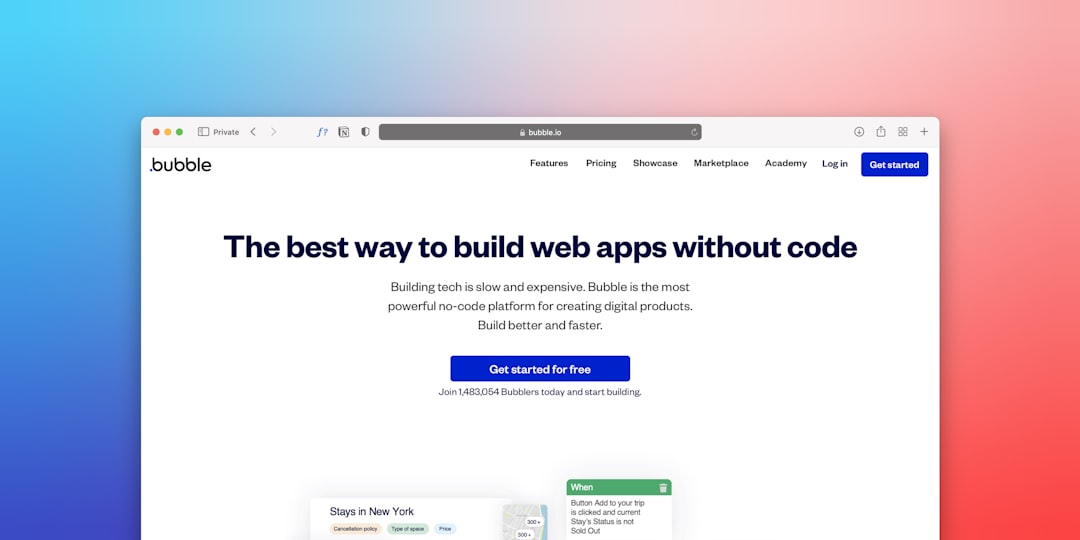
In recent years, no-code app builders have transformed how startups, entrepreneurs, and even large organizations bring digital products to life. Platforms like Bubble have made it possible to build powerful web and mobile applications without writing traditional code. Instead of relying on software engineers, users can design, build, and launch apps using visual drag-and-drop interfaces and logical workflows.
TLDR: No-code app builders such as Bubble allow people to create fully functional applications without programming skills. These platforms use visual editors, workflow automation, and built-in databases to simplify development. They reduce costs, shorten development timelines, and empower non-technical founders. While they have limitations compared to custom development, they are powerful tools for launching MVPs and scalable products quickly.
The rise of no-code platforms signals a broader shift in technology: software creation is no longer limited to professional developers. Today, product managers, marketers, and small business owners can turn ideas into working applications faster than ever before.
What Are No-Code App Builders?
No-code app builders are platforms that allow users to build software applications using visual interfaces rather than programming languages. Instead of writing thousands of lines of code, users interact with graphical components such as buttons, forms, databases, and workflows.
Most no-code tools include:
- Drag-and-drop editors for user interface design
- Built-in databases to store and manage data
- Workflow automation tools to define app behavior
- Integrations with third-party services like Stripe, Zapier, or Google Analytics
- Hosting and deployment infrastructure
This integrated environment eliminates the need to manage servers, write backend logic, or handle deployment manually.

How Bubble Leads the No-Code Movement
Among the many no-code platforms available, Bubble stands out for its flexibility and power. Unlike simpler website builders, Bubble enables users to create complex web applications with dynamic databases and conditional workflows.
Bubble offers:
- A visual editor for responsive web design
- A structured database system
- Advanced logic and conditional workflows
- API connections and plugin support
- User authentication systems
Because of these features, Bubble is frequently used to build:
- Marketplaces
- SaaS platforms
- Internal company tools
- Booking systems
- Social networks
Many startups have even raised funding and scaled their applications while continuing to use Bubble as their primary development platform.
Other Popular No-Code App Builders
While Bubble is powerful, it is not the only player in the no-code space. Several platforms cater to different needs and technical comfort levels.
1. Adalo
Adalo focuses primarily on mobile app development. It offers an intuitive interface for building iOS and Android apps and includes built-in database functionality.
2. Glide
Glide is known for turning spreadsheets into functional mobile and web applications quickly. It is often used for internal tools and simple client-facing apps.
3. Webflow
Although more commonly recognized as a web design tool, Webflow enables advanced design control combined with CMS functionality. It is ideal for content-driven platforms.
4. Softr
Softr builds applications on top of Airtable databases, providing a quick way to create membership sites, internal dashboards, and marketplaces.
Comparison Chart: Leading No-Code App Builders
| Platform | Best For | Mobile Apps | Database Built-In | Scalability |
|---|---|---|---|---|
| Bubble | SaaS, marketplaces, complex web apps | Web apps (mobile responsive) | Yes | High |
| Adalo | Native mobile apps | Yes (iOS and Android) | Yes | Medium |
| Glide | Internal tools, simple apps | Yes | Spreadsheet-based | Medium |
| Webflow | Content sites, marketing pages | No (web focused) | CMS | High |
| Softr | Membership sites, dashboards | Web apps | Via Airtable | Medium |
Key Benefits of No-Code Development
1. Faster Time to Market
Traditional app development can take months or even years. No-code platforms dramatically reduce this timeline. A minimum viable product (MVP) can often be launched in weeks.
2. Lower Development Costs
Hiring a development team is expensive. No-code tools reduce or eliminate the need for full-time engineers, lowering upfront and ongoing costs.
3. Accessibility for Non-Technical Founders
Entrepreneurs without coding expertise can now build and iterate independently. This democratizes innovation and removes technical gatekeeping.
4. Rapid Iteration
Because updates do not require code deployment, changes can be implemented instantly. This makes it easier to test features and respond to user feedback.

Limitations and Challenges
Despite their advantages, no-code platforms are not perfect.
- Performance constraints: Extremely complex or high-traffic applications may require custom code optimization.
- Platform dependency: Users rely on the provider’s infrastructure and pricing structure.
- Customization limits: Some advanced features may be harder to implement compared to traditional development.
- Learning curve: While no coding is required, mastering platforms like Bubble still requires time and logical thinking.
However, many of these limitations can be mitigated with strategic planning and proper architecture design.
When to Use a No-Code App Builder
No-code tools are particularly effective in the following scenarios:
- Launching a startup MVP
- Testing a new product idea
- Building internal business tools
- Creating client portals
- Developing niche marketplaces
They are less ideal for:
- Real-time gaming platforms
- Highly complex AI systems
- Deeply customized enterprise infrastructure
The Future of No-Code Development
The no-code movement is evolving rapidly. As cloud infrastructure becomes more powerful and artificial intelligence continues to integrate into development platforms, no-code tools are becoming even more capable.
Many modern platforms now incorporate:
- AI-assisted design suggestions
- Automated workflow generation
- Smart debugging tools
- Expanded API integrations
These improvements bring no-code development closer to traditional software engineering in terms of flexibility and scalability.

Industry experts predict that a significant percentage of new applications in the coming decade will be built using low-code or no-code tools. Enterprises are increasingly adopting these platforms to speed up digital transformation initiatives.
Best Practices for Success with No-Code Tools
To maximize the potential of platforms like Bubble, users should follow several principles:
- Plan the database structure carefully before building workflows
- Start simple and avoid unnecessary complexity early on
- Focus on user experience and intuitive design
- Test thoroughly before launching publicly
- Monitor performance as user traffic grows
By combining strategic planning with iterative development, many founders have successfully launched scalable digital products without ever writing traditional code.
Conclusion
No-code app builders like Bubble have redefined what it means to create software. By replacing complex programming with visual development environments, they empower individuals and businesses to launch digital products quickly and affordably.
While not a complete replacement for traditional software engineering in every case, no-code platforms represent a powerful alternative for startups, small businesses, and innovation teams. As technology continues to advance, their role in shaping the future of application development will likely grow even stronger.
Frequently Asked Questions (FAQ)
1. Can a real startup be built using Bubble?
Yes. Many startups have launched and scaled using Bubble. It supports complex databases, payment systems, and integrations, making it viable for serious businesses.
2. Is no-code completely free?
Most platforms offer free plans with limitations. However, serious applications typically require paid subscriptions for advanced features and scalability.
3. Are no-code apps scalable?
They can be scalable, especially on platforms like Bubble. However, extremely high-traffic or technically demanding apps may eventually require custom development solutions.
4. Do users need technical knowledge?
No programming knowledge is required, but logical thinking and problem-solving skills are helpful when building workflows and managing data.
5. Can no-code apps integrate with other tools?
Yes. Most no-code builders offer APIs and built-in integrations with payment processors, CRM systems, analytics tools, and automation services.
6. What is the difference between no-code and low-code?
No-code platforms require zero programming, while low-code platforms allow optional coding for advanced customization and flexibility.
