 logo
logo
Short-form video has become one of the easiest ways for brands, creators, educators, and agencies to stretch a single recording into many useful assets. Instead of publishing one long webinar, podcast, tutorial, or livestream, a team can split it into smaller clips for social media, email campaigns, landing pages, internal training, and paid ads. Simple video splitter platforms make that process faster by helping users cut footage, trim highlights, export multiple segments, and resize clips without needing advanced editing skills.
TLDR: Simple video splitter platforms help teams turn long videos into short, reusable clips quickly. They are especially useful for repurposing webinars, interviews, tutorials, podcasts, and livestreams into social content. The best platforms combine easy trimming, accurate timeline controls, captions, aspect ratio presets, and fast exporting. For many teams, these tools reduce editing time while increasing the value of every recorded video.
Why Video Splitting Matters for Content Repurposing
Modern content moves fast. A company may host a one-hour webinar, but only a small part of its audience will watch the entire replay. However, a two-minute clip that answers one specific question may perform well on LinkedIn, YouTube Shorts, TikTok, Instagram Reels, or in a newsletter. This is where video splitting becomes valuable: it allows a long recording to be divided into smaller, focused pieces that are easier to consume.
Content repurposing is not simply about cutting random sections from a video. It is about finding moments that can stand alone and deliver value quickly. A strong quote, a product demonstration, a customer testimonial, a how-to step, or a behind-the-scenes moment can become a separate asset. Simple video splitter platforms support this workflow by making it easy to identify, isolate, and export those moments.
What Makes a Video Splitter Platform “Simple”?
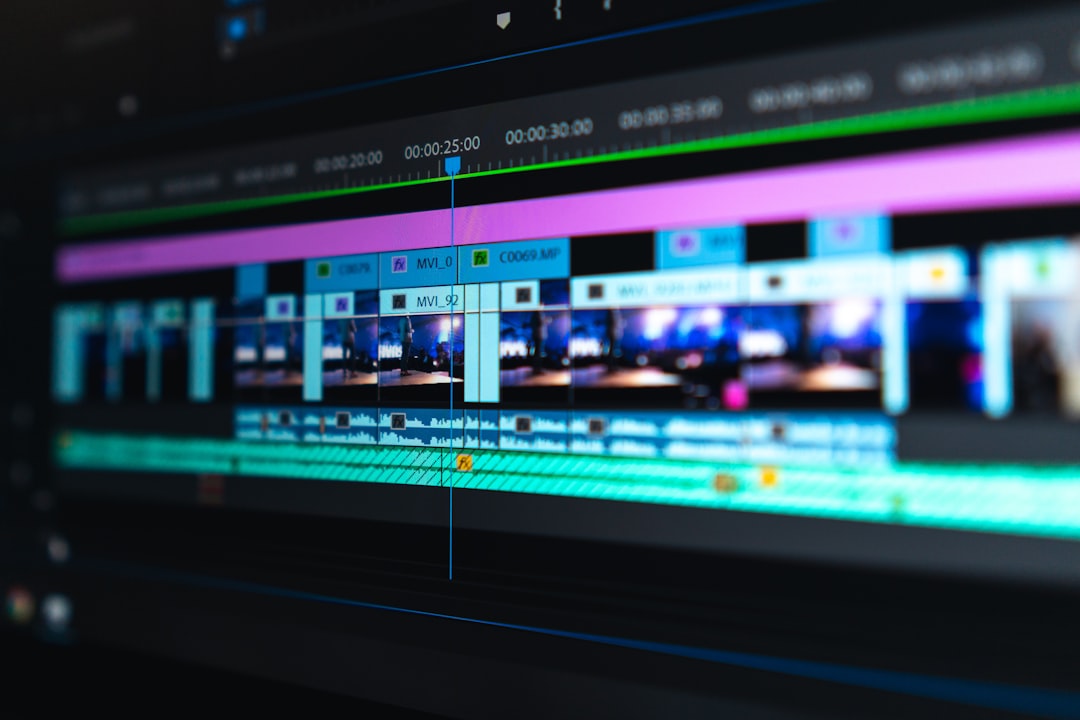
A simple video splitter platform is designed for speed and clarity. It usually has a clean interface, drag-and-drop uploads, a visual timeline, and basic editing controls that do not overwhelm the user. Unlike complex professional editing software, these platforms often focus on a few essential functions: cutting, trimming, splitting, cropping, captioning, and exporting.
The goal is not to replace all professional video editing tools. Instead, simple splitters help users complete common tasks without a steep learning curve. A marketer, virtual assistant, coach, teacher, or small business owner can upload a long video, choose start and end points, create several clips, and export them in the right format within minutes.
Common Use Cases for Quick Content Repurposing
Video splitter platforms are useful across many industries because nearly every organization produces video in some form. The most common use cases include:
- Webinar highlights: A full webinar can be divided into short educational clips, speaker quotes, Q&A moments, and promotional teasers.
- Podcast clips: Video podcasts can be split into topic-based segments for social media or embedded blog content.
- Training modules: Long training sessions can be broken into smaller lessons that are easier for employees or students to follow.
- Product demonstrations: A full demo can become individual clips focused on specific features, benefits, or customer pain points.
- Customer testimonials: Long interviews can be split into concise proof points for sales pages and ad campaigns.
- Livestream recaps: Streamed events can be turned into highlight reels, announcements, and short reaction clips.
For teams that publish frequently, these use cases add up. A single thirty-minute recording might produce ten or more short clips. This helps maintain a steady publishing schedule without requiring constant new video production.
Key Features to Look For
Not all video splitter platforms are built the same way. Some are extremely basic, while others include AI-powered editing, automatic captions, and social media templates. The right choice depends on the team’s workflow, but several features are especially helpful for quick repurposing.
1. Easy Timeline Splitting
The timeline should be simple to understand. Users should be able to move a playhead, mark the beginning and end of a clip, and split the video at exact points. A good platform allows small adjustments so the final clip does not cut off a word, gesture, or transition awkwardly.
2. Batch Clip Creation
For efficient repurposing, a platform should allow users to create multiple clips from one source video. Instead of exporting one segment, starting over, and repeating the process, the user should be able to mark several sections and export them as separate files.
3. Social Media Aspect Ratios
Different platforms require different shapes. A horizontal 16:9 video may work well on YouTube, while vertical 9:16 is ideal for Reels, Shorts, and TikTok. Square 1:1 clips may still be useful for some feeds. Simple video splitter platforms become more powerful when they include aspect ratio presets and cropping tools.
4. Captions and Subtitles
Many viewers watch videos without sound, especially on mobile devices. Captions make clips more accessible and more engaging. Platforms with automatic subtitle generation can save significant time, although captions should still be reviewed for accuracy. A clean caption style also helps clips look more polished.
5. Fast Export Options
A splitter platform should export clips quickly and in common file formats such as MP4. Users may also need control over resolution, file size, and quality. Fast exporting is particularly important for agencies or media teams that process many videos each week.
6. Cloud-Based Access
Many simple video splitters are browser-based, which means users do not need to install heavy software. Cloud access makes it easier for remote teams to collaborate, share drafts, and manage projects from different devices. However, the platform should still provide reliable upload speeds and secure storage.
How AI Is Changing Video Splitting
AI has made video splitting more efficient by helping users detect useful moments automatically. Some platforms can identify scene changes, remove silences, find speaker segments, generate captions, or suggest highlight clips based on speech patterns. This is especially helpful when working with long recordings.
For example, a marketing team might upload a 60-minute interview and use AI to locate moments where the guest gives a strong opinion, explains a key concept, or shares a memorable story. The editor can then review those recommendations rather than watching the entire video from beginning to end. This does not remove the need for human judgment, but it can speed up the selection process.
AI is most useful when it supports the editor rather than replacing the editor. The final decision about tone, brand fit, context, and audience relevance should still come from a person. A clip may be technically interesting but not suitable for the intended channel. Human review ensures that repurposed content remains accurate and aligned with the brand.
Benefits for Small Teams and Solo Creators
Simple video splitter platforms are especially valuable for small teams because they reduce production pressure. A solo creator might not have time to film new videos every day, but that creator may already have hours of recorded material from podcasts, courses, livestreams, or client calls. By splitting existing content, the creator can build a full content calendar from work that has already been done.
Small businesses can also use short clips to support sales and customer education. A founder might record one detailed product walkthrough and then split it into shorter clips such as “how to get started,” “top three features,” “common mistakes,” and “customer results.” Each clip can serve a different purpose in the buyer journey.
Another benefit is consistency. Audiences often respond better to regular, focused publishing than occasional long-form updates. Video splitters allow teams to maintain that consistency without dramatically increasing workload.
Best Practices for Repurposing Split Video Clips
To get the most from a video splitter platform, users should follow a clear process. Random clipping can create confusing or low-impact content. A thoughtful workflow helps each segment feel complete and purposeful.
- Start with a clear goal: The team should decide whether the clips are meant to educate, entertain, sell, build authority, or drive traffic.
- Choose self-contained moments: Each clip should make sense without requiring the viewer to watch the full original video.
- Keep clips focused: Short videos usually work best when they address one idea, question, or takeaway.
- Add captions: Captions improve accessibility and help retain viewers who watch with sound off.
- Match the format to the channel: Vertical clips work well for mobile-first platforms, while horizontal clips may be better for websites and YouTube.
- Use strong openings: The first few seconds should clearly communicate why the viewer should keep watching.
- Review before publishing: Every clip should be checked for context, accuracy, audio quality, and visual clarity.

Potential Limitations to Consider
Although simple video splitter platforms are convenient, they may have limitations. Some free or low-cost tools may add watermarks, limit export quality, restrict file length, or provide fewer caption options. Browser-based tools may also depend on internet speed, which can affect upload and export times.
Another issue is creative control. Professional editors may need advanced color correction, audio mixing, motion graphics, multi-camera editing, or detailed transitions. A simple splitter may not provide those features. In that case, the platform can still be used for quick rough cuts, while more complex finishing work is completed elsewhere.
Data privacy should also be considered. Businesses that handle confidential meetings, customer interviews, training materials, or internal communications should review how a platform stores and processes uploaded files. Secure access, deletion controls, and clear privacy policies are important.
How to Choose the Right Platform
The best platform is the one that matches the user’s actual workflow. A social media manager may value aspect ratio presets and captions, while an educator may care more about splitting lectures into clean modules. An agency may need collaboration features, brand templates, and batch exports.
Before committing to a tool, a team should test it with a real video. This reveals whether the interface feels intuitive, whether exports are fast enough, and whether the final clips meet quality standards. It is also useful to compare how many steps are required to complete a typical task. The fewer unnecessary steps, the better the platform will be for quick repurposing.
Price should be weighed against saved time. A platform that costs more but saves several hours each week may be worthwhile. On the other hand, a basic free tool may be enough for occasional trimming and splitting.
The Future of Quick Video Repurposing
Video content will likely continue moving toward faster production cycles and more channel-specific formats. Long-form content will still matter, but short clips will remain essential for discovery and engagement. Simple video splitter platforms sit at the center of this trend because they help users turn one recording into many distribution-ready assets.
As AI improves, these platforms will become better at suggesting clips, rewriting captions, identifying viral-style moments, and formatting content for different platforms. Still, the strongest results will come from combining automation with strategy. The tool can make the process faster, but the creator or team must decide what message matters most.
In practical terms, video splitting is a smart way to increase the return on every recording. When a business, creator, or educator invests time in producing a long video, that content should not disappear after one post. With the right platform, it can become a library of shorter, targeted assets that continue working across channels.
FAQ
What is a video splitter platform?
A video splitter platform is a tool that allows users to cut a longer video into shorter segments. Many platforms also include trimming, cropping, captions, and export settings for different channels.
Who should use simple video splitter platforms?
They are useful for marketers, creators, educators, coaches, agencies, podcasters, small businesses, and anyone who wants to repurpose long videos into shorter clips quickly.
Can video splitters be used for social media content?
Yes. Many platforms include vertical, square, and horizontal format options, making it easier to prepare clips for TikTok, Instagram Reels, YouTube Shorts, LinkedIn, and other channels.
Are AI video splitters better than manual tools?
AI video splitters can save time by suggesting highlights, generating captions, or detecting scene changes. However, manual review is still important to ensure the clip has the right context, tone, and quality.
What types of videos are best for repurposing?
Webinars, podcasts, interviews, tutorials, product demos, livestreams, training sessions, and customer testimonials are all strong candidates for repurposing.
How long should repurposed video clips be?
The best length depends on the platform and goal. Many social clips perform well between 15 and 90 seconds, while educational or website clips may be longer if the information is valuable.
Do simple video splitters reduce the need for professional editing?
They can reduce the need for professional editing on basic tasks, but complex projects may still require advanced software or an experienced editor.
