 logo
logo

The best free AI medical scribe option for students in 2025 is usually a mix of a limited free scribe app, a school-approved tool, and a safe practice workflow using simulated patient encounters. No student should upload real patient audio, names, dates of birth, or clinic notes into a tool unless the school or clinical site has approved it in writing.
TLDR: Free AI medical scribe tools can help students practice SOAP notes, HPI summaries, assessment plans, and chart structure, but most free plans are limited by minutes, exports, or privacy controls. For example, a student practicing with 8 simulated visits per week may save about 80 to 120 minutes on first-draft notes if each note takes 10 to 15 minutes less. The safest free setup is a mock patient recording, an AI-generated draft, and a human edit against a rubric. Real clinical use needs school approval, consent, and HIPAA-ready or local privacy controls.
Free AI Medical Scribe Options Students Can Try in 2025
Free options change often, and that is annoying. A tool may be free in January, then hide exports behind a paid plan by March. Students should treat “free” as either a free tier, a trial, a school license, or a local open-source setup.
- Heidi Health: Often offers a free plan or free student-friendly access in some regions. It can create notes from conversations, summarize visits, and format drafts into common clinical styles.
- Freed AI: Commonly used for outpatient-style notes. It may offer a trial or limited free access. Students can use it for mock visits, but real patient use needs formal approval.
- Nabla Copilot: Known for clinical note generation and structured summaries. Free access may be trial-based or tied to an organization.
- Carepatron AI scribe tools: May include free or starter features for note drafting, templates, and practice workflows.
- School-provided tools: Some medical, nursing, PA, and allied health programs provide access to approved platforms through simulation labs or EHR training systems.
- Local Whisper plus a note template: Students with technical skills can transcribe mock audio locally, then use a school-approved language model or template to shape the note. This is better for privacy practice, but setup can be clunky.
What Free AI Scribes Usually Do Well
Most free AI medical scribes handle the basics. They listen to a conversation or accept a transcript. Then they produce a note. The best tools separate sections clearly.
- SOAP notes: Subjective, Objective, Assessment, and Plan.
- HPI drafts: Chief complaint, timeline, symptoms, severity, and context.
- Visit summaries: Plain-language summaries for review or practice.
- Differential support: Some tools suggest possible diagnoses, though students must treat these as study prompts, not answers.
- Template control: Better apps let students pick outpatient, urgent care, therapy, or follow-up styles.
Honestly, it feels like many tools are great at making a note look polished while still missing small clinical facts. That is the trap. A neat note is not always an accurate note.
A Safe Documentation Workflow for Students
A student-friendly workflow should protect patients and still build documentation skill. The safest route starts with simulation.
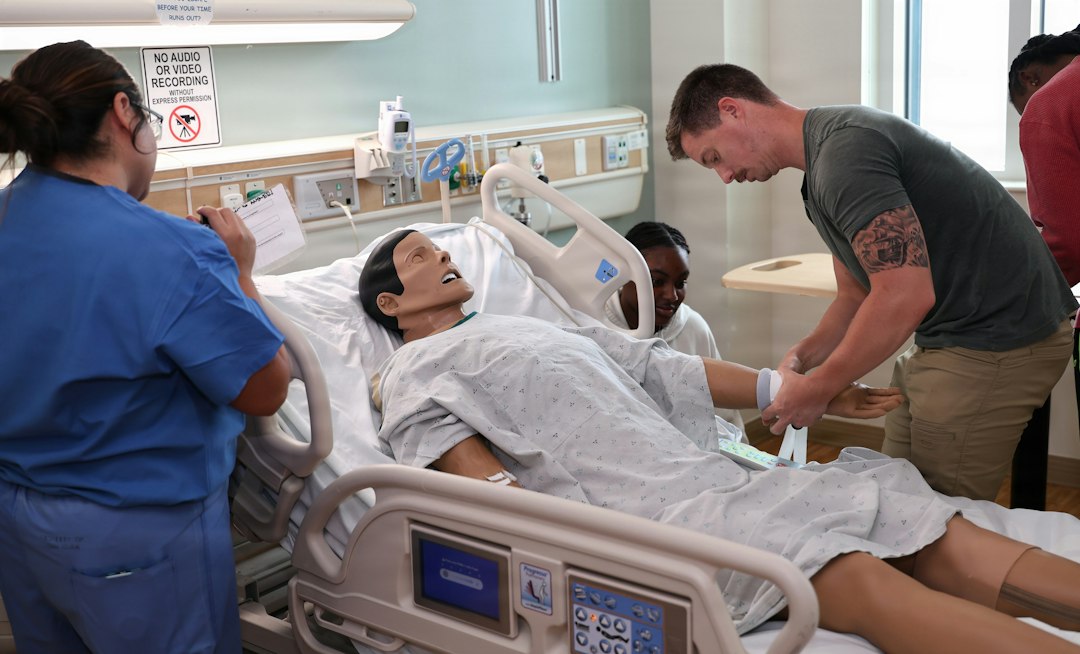
- Create or use a mock case. The patient should be fictional. Names, addresses, phone numbers, and dates should be invented.
- Record a simulated visit. One student plays clinician. Another plays patient. Faculty can also provide a script.
- Run the audio through the scribe. The tool creates a draft note.
- Compare the draft with the transcript. The student checks missed symptoms, wrong negatives, and invented details.
- Edit by hand. This matters. The learning happens during correction.
- Grade with a rubric. Faculty can score accuracy, structure, clinical reasoning, and professionalism.
In clinical rotations, the workflow must be stricter. The student should ask the preceptor what is allowed. If the answer is unclear, the student should not use the tool with real patient data.
Privacy Rules Students Cannot Ignore
Privacy is the biggest issue. Free tools often have weaker legal terms than paid health care versions. Some free plans may store audio. Some may use submitted text to improve models. Some may process data outside the student’s country.
Before using any tool with patient information, the student should check:
- HIPAA status in the United States, including whether a Business Associate Agreement is available.
- Consent requirements from the clinic, patient, preceptor, and school.
- Data retention, including how long audio and transcripts are stored.
- Training use, meaning whether submitted data can be used to train the company’s systems.
- Export controls, including whether notes can be copied into an EHR safely.
Limits of Free AI Medical Scribes
Free tools are useful, but they are not magic. Expect to waste time on cleanup when the audio is noisy, the patient speaks softly, or medical terms are misheard. A student may save 12 minutes on the first draft, then spend 7 minutes fixing errors.
Common flaws include:
- Hallucinated details: The note may add symptoms, exams, or plans that were never said.
- Weak clinical judgment: The tool may summarize but not reason like a trained clinician.
- Template mismatch: A mental health note may be forced into a primary care format.
- Limited free minutes: Some plans restrict recordings, note count, or exports.
- Poor specialty coverage: Pediatrics, OB, psychiatry, and emergency care need extra review.
Best Educational Uses
AI scribes work best when treated as practice partners. They help students see how speech becomes documentation. They also show the gap between a conversation and a clean medical note.
Good classroom uses include simulated OSCE encounters, peer role-play, charting labs, and note comparison exercises. Faculty can give one transcript to a class, ask each student to create a note, then compare those notes with an AI draft. This makes errors visible. It also teaches students not to trust a polished paragraph too quickly.

How Students Should Choose a Free Tool
The best free option depends on the use case. For simulation, ease of use matters most. For clinical rotations, privacy approval matters most. For research or informatics projects, export format and audit trails matter more.
- Pick Heidi or a similar free-tier scribe for quick mock notes and SOAP practice.
- Pick a school-approved platform for any patient-adjacent activity.
- Pick local transcription for privacy-focused experiments with fictional data.
- Avoid unapproved consumer chatbots for real clinical notes.
FAQ
Can students use free AI medical scribes with real patients?
Only if the school, clinical site, preceptor, and privacy policy allow it. Written approval is best. Without it, students should use fictional or de-identified simulation cases only.
Are free AI medical scribes HIPAA compliant?
Some paid health care versions may support HIPAA workflows. Free versions often do not. Students should look for a Business Associate Agreement, data retention terms, and clear privacy controls.
What is the best free AI medical scribe for students in 2025?
There is no single best tool for every student. Heidi Health, Freed AI trials, Nabla trials, Carepatron tools, school-provided scribes, and local transcription setups are common starting points.
Can AI write a complete SOAP note?
Yes, many tools can draft one. The student still must verify every section. AI can miss key negatives, invent findings, or soften uncertainty.
Is using an AI scribe cheating?
Not if faculty permits it and the goal is learning. It becomes a problem when a student submits unedited AI notes as original clinical work or uses patient data without approval.
What is the safest student workflow?
The safest workflow uses fictional cases, simulated audio, AI drafting, manual correction, and instructor review. That builds skill without risking patient privacy.
