 logo
logo
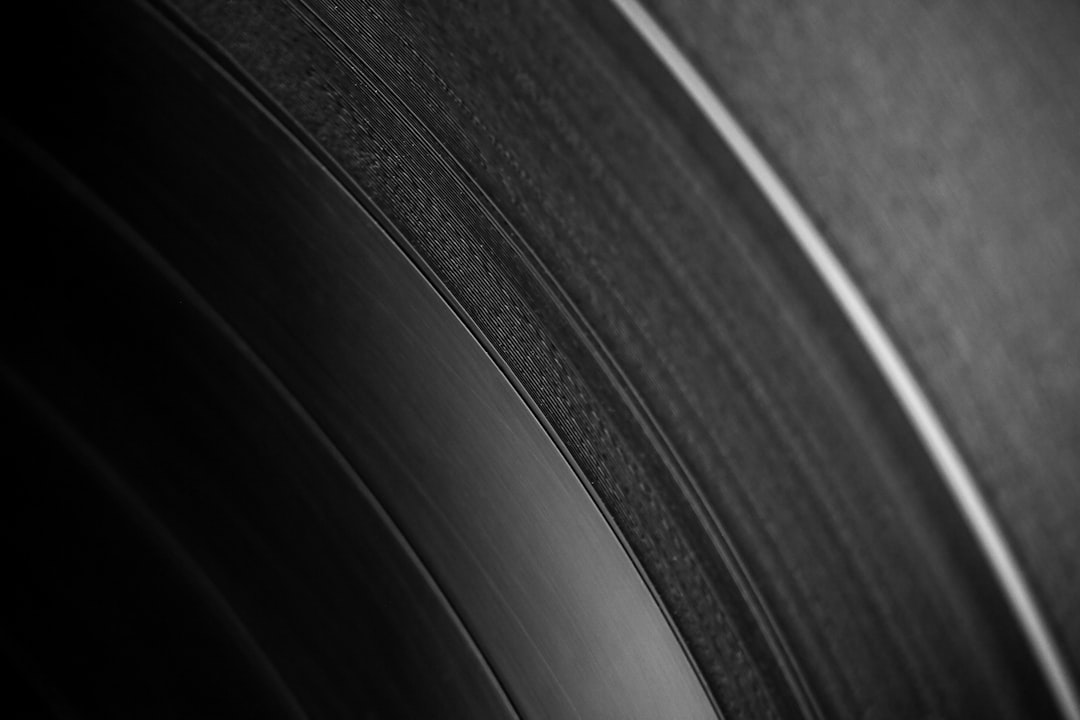
Clean the disc first, then deal with scratches only if playback or reading still fails. A scratched CD, DVD, or Blu-ray should be handled by the edges, wiped from the center hole outward, and cleaned with distilled water plus a tiny drop of mild dish soap before any polishing is tried. Circular rubbing can turn one bad skip into many small read errors.
TLDR: Most scratched CDs improve with a careful clean, not aggressive scrubbing. For example, a lightly scratched music CD that skips on track 8 may play normally after a 3-minute wash and a center-to-edge wipe. If cleaning fails, a mild plastic polish or professional resurfacing may help, but deep label-side damage on CDs is often permanent. A person should copy readable files right away, since each failed retry can waste 20 to 60 seconds and may stress older drives.
Safe Supplies for Cleaning Optical Discs
A person should gather simple, low-risk supplies before touching the shiny side of the disc. The goal is to remove dust, grease, fingerprints, and dried residue without adding new scratches.
- Clean microfiber cloths, preferably new or freshly washed
- Distilled water, not hard tap water
- Mild dish soap, used sparingly
- Air blower or a camera lens bulb
- Isopropyl alcohol, 70% or higher, only for sticky grime and only in small amounts
- Plastic polish, used only after basic cleaning fails
Paper towels, tissues, rough cotton shirts, window cleaner, acetone, bleach, and abrasive pads should stay far away from optical discs. They may look harmless, but they can leave fine scratches or cloudy residue. It drives people crazy that a disc can look cleaner after a rough wipe yet read worse afterward.
Image not found in postmetaThe Best Basic Cleaning Method
The safest method is slow and boring. That is exactly why it works. Most discs fail because of smudges and dust, not because the scratch itself is fatal.
- Hold the disc by the outer edge and center hole. Fingerprints add oils that scatter the laser.
- Blow off loose dust. A lens bulb is safer than breath, which adds moisture and tiny droplets.
- Rinse the shiny side with distilled water. Let water float grit away instead of dragging it across the surface.
- Add one tiny drop of mild dish soap. Spread it gently with clean fingers if grease is present.
- Rinse again. Soap film can cause read problems, so it should be fully removed.
- Dry with a microfiber cloth. Wipe in straight lines from the center hole to the outer edge.
- Let the disc air dry for a few minutes. Moisture in the hub area can drip back onto the reading surface.
The center-to-edge motion matters. Optical discs store data in a spiral track. A scratch that follows the curve can hide a longer section of data. A straight radial mark affects a smaller area and is easier for error correction to handle.
How to Inspect Scratches
After cleaning, the disc should be checked under soft light. Harsh light can make dust look like damage. A person should tilt the disc slowly and look for three types of marks.
- Light surface scuffs: These often look dull or hazy. They may be reduced with cleaning or gentle polishing.
- Deep shiny-side scratches: These can block the laser. They may need resurfacing.
- Label-side scratches on CDs: These are serious. On many CDs, the data layer sits close to the label. If light shines through pinholes, data may be gone.
DVDs and Blu-ray discs are built differently. Their data layers are sandwiched inside the disc, so label-side marks are not always as destructive. Blu-ray discs also have a harder coating, which resists minor scuffs but can be harder to polish at home.
Scratch-Minimization Methods That May Help
If the disc is clean and still skips, polishing may reduce the effect of shallow scratches. This does not truly “heal” the disc. It smooths the plastic surface so the laser has less distortion to read through.
Plastic polish is the safest at-home option. A tiny amount should be applied to a microfiber cloth, then worked from the center outward with light pressure. The disc should be rinsed and dried afterward, since leftover polish can gum up the surface.
Toothpaste is often mentioned, but it is risky. Some plain white toothpastes are mildly abrasive. Many gel, whitening, charcoal, or gritty formulas are too harsh. Honestly, it can feel like a cheap trick until the disc comes out cloudy and worse than before. If toothpaste is used at all, it should be a last resort on a disc that is already failing and replaceable.
Professional resurfacing is better for valuable discs. Game shops, libraries, and media repair services often use machines that remove a very thin layer of plastic evenly. This can fix many shiny-side scratches on CDs, DVDs, and some game discs. It cannot restore missing data, cracked discs, warped discs, or damaged label layers.
Special Care for Data Discs and Old Backups
For data CDs, DVDs, and archived discs, the first goal is not perfect playback. The first goal is copying the data. Once a drive can read the disc, the files should be transferred to a hard drive or cloud backup right away.
If a file copy slows down or freezes, a person should try another optical drive. Some drives read damaged discs better than others. Older desktop drives may handle marginal CDs better than slim laptop drives. Expect to waste time on repeated retries, though. A single bad sector can make a copy process stall for half a minute or more.
Disc recovery software can help by retrying damaged areas and saving partial data. Still, software cannot read what the laser cannot detect. Cleaning and using a reliable drive should come first.
What Not to Do
Several popular fixes can make a scratched disc worse. They should be avoided unless the disc has no remaining value.
- Do not rub in circles. This follows the data path and can create longer read errors.
- Do not use car wax as a first step. It can leave residue that attracts dust.
- Do not use household glass cleaner. Ammonia and additives may harm coatings.
- Do not press hard while polishing. Heat and uneven pressure can warp or haze the plastic.
- Do not clean the label side aggressively. This is especially risky on CDs.
- Do not play a cracked disc. It can shatter inside a high-speed drive.
How to Prevent New Scratches
Prevention is easier than repair. Optical discs should be stored in cases, not stacked loose or slid across tables. A disc should return to its case after use, with the label facing up while handled.
Temperature matters as well. Heat, sunlight, and damp storage can warp discs or damage reflective layers. A cool, dry shelf is best. For rare music, family video, old software, or game discs, a backup copy or digital rip should be made while the disc still reads well.
Image not found in postmetaWhen a Disc Is Probably Beyond Repair
Some damage cannot be fixed by cleaning. A disc with cracks, peeling layers, cloudy rot, severe warping, or holes in the reflective layer is usually beyond home repair. If the disc holds legal, medical, business, or family records, a professional data recovery service may be worth the cost.
A person should also stop after one or two careful repair attempts. Repeated polishing removes plastic each time. Too much repair work can turn a readable disc into a dead one.
FAQ
Can scratched CDs really be cleaned?
Yes. Many “scratched” CDs are partly blocked by fingerprints, dust, or dried residue. Cleaning can restore playback when the scratch is only part of the problem.
What is the safest direction to wipe a CD?
The safest direction is straight from the center hole to the outer edge. A person should avoid circular wiping because it can create errors along the data track.
Is alcohol safe for CDs and DVDs?
Small amounts of isopropyl alcohol are usually safe for stubborn grime on the shiny side. It should not be poured onto the disc, and the label side should be treated with extra care.
Does toothpaste fix scratches?
Sometimes it reduces shallow scratches, but it can also haze the surface. A proper plastic polish is safer. Toothpaste should be a last-resort option for non-valuable discs.
Can Blu-ray discs be repaired the same way?
Basic cleaning is similar, but polishing is trickier. Blu-ray discs have a hard coating, and rough abrasives can damage it. Professional resurfacing is safer for valuable Blu-rays.
What should be done first with an old data disc?
The data should be copied as soon as the disc becomes readable. Cleaning is useful, but the real win is making a backup before the disc fails again.
