 logo
logo
Choose Figma if your priority is a polished dating app design; choose FlutterFlow if your priority is a working iOS MVP you can test sooner. For most serious dating app projects, the safest route is to start in Figma, validate the user experience, then rebuild or refine the product in FlutterFlow if you need a faster no-code launch.
TLDR: Figma is better for visual design, brand control, user flows, and investor-ready prototypes. FlutterFlow is better when you need a real app with login, profiles, swiping, chat, and database logic. For example, a small team could test a 14-screen Figma prototype with 25 users in one week, then use the feedback to build a FlutterFlow MVP in 4 to 8 weeks. If speed matters more than pixel-perfect polish, FlutterFlow can cut early build time by 40% to 60% compared with a fully custom first version.
What an iOS dating app template actually needs
A dating app template is not just a set of pretty profile cards. It needs to support a full user journey. That includes onboarding, account creation, gender and preference settings, photo uploads, profile editing, discovery, matching, messaging, reporting, blocking, and subscription prompts.
For iOS, the template also needs to feel native. Apple users notice awkward spacing, strange tab bars, slow screens, and forms that do not behave as expected. A dating app is personal. If the interface feels cheap, users will not trust it with their photos, location, or private chats.
A good template should include:
- Onboarding screens with clear consent and preference setup.
- Profile creation with photo slots, bio fields, interests, age, and location.
- Discovery cards with like, pass, and super-like actions.
- Match confirmation screens that create a clear reward moment.
- Chat UI with message states, timestamps, empty states, and safety prompts.
- Monetization screens for premium likes, boosts, or subscriptions.
- Moderation tools such as report, block, and profile verification flows.
Figma for iOS dating app templates
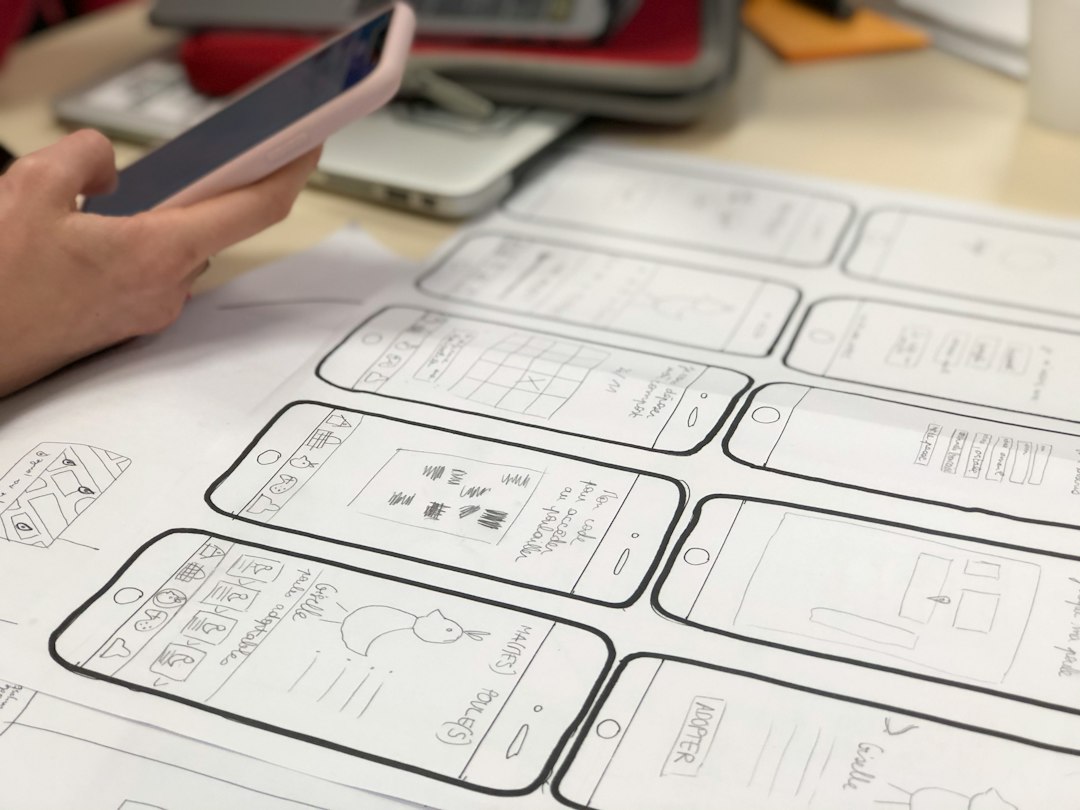
Figma is the stronger choice for design work. It gives product teams precise control over every detail: layout, colors, typography, icon style, component states, and prototype links. If the app must feel premium, Figma is usually where that quality starts.
Dating apps rely heavily on emotional design. A small change in profile card spacing can make the app feel more serious or more casual. Button labels can change user behavior. A photo approval screen can reduce support issues. Figma makes it easier to test those details before anyone writes code.
Figma templates are also useful for stakeholder reviews. Founders can show screens to investors. Designers can run usability tests. Developers can inspect layouts and export assets. Product managers can map flows without waiting for a build.
The catch is that Figma does not build your app. A Figma dating app template is still a design file. It can look complete, but it has no backend, no matching logic, no live chat, no push notifications, and no App Store build. Expect to hand it to developers or rebuild it in another tool.
Figma is best when you need:
- A refined iOS interface before development starts.
- Custom branding for a niche dating app.
- User testing with clickable prototypes.
- Clean design systems with reusable components.
- Investor materials, pitch decks, or product demos.
- Detailed handoff files for an engineering team.
It drives me crazy when teams buy a Figma template and call it an MVP. It is not. It is a prototype. That can still be valuable, but only if the team is honest about what it is buying.
FlutterFlow for iOS dating app templates
FlutterFlow is better when you want a functioning app rather than only a design. It lets teams build screens, connect databases, add authentication, set actions, create conditional flows, and prepare mobile builds using Flutter.
For a dating app, that can be a major advantage. You can build profile creation, swipe logic, saved matches, chat lists, and paid feature gates without starting from a blank codebase. Many FlutterFlow templates already include app structure, navigation, Firebase setup patterns, and reusable widgets.
FlutterFlow also helps non-technical founders test a business idea. You can create a narrow first version for a specific audience, such as dog owners in one city or professionals in a certain field. Then you can test retention, profile completion rate, match rate, and paid conversion before funding a larger build.
Image not found in postmetaStill, FlutterFlow is not magic. Complex matching algorithms, heavy moderation systems, deep analytics, and advanced subscription logic may still need custom work. Some animations and micro-interactions can also take longer than expected. A swipe card that takes 10 minutes to mock up in Figma may take hours to get right in FlutterFlow, especially when database updates and edge cases are involved.
FlutterFlow is best when you need:
- A working MVP for iOS and possibly Android.
- Firebase-backed authentication and user data.
- Fast testing with real users.
- Basic chat, profile, and matching features.
- Visual development without a full engineering team.
- Exportable code for later technical work.
Design quality: Figma usually wins
Figma gives designers more freedom. This matters in dating apps because trust and taste drive usage. A generic template can hurt the product. Users have seen dozens of swipe apps. They can spot a copied interface fast.
In Figma, you can build a strong visual system before product build begins. You can set type styles for profile names, prompts, safety text, empty states, and premium labels. You can create separate components for verified users, blurred premium likes, location tags, and match badges.
FlutterFlow can produce clean screens, but it is more constrained. Its visual builder is practical, not always elegant. You may spend extra time adjusting padding, managing responsive behavior, or matching small iOS interface details. If brand quality is central to the product, design in Figma first.
Speed to MVP: FlutterFlow usually wins
If the goal is to test a live dating product, FlutterFlow has the edge. A Figma prototype can show intent, but it cannot measure real behavior. It cannot tell you if users upload three photos, send first messages, churn after onboarding, or pay for boosts.
FlutterFlow can help you collect that data sooner. Even a limited MVP can track practical metrics such as:
- Profile completion rate: target 70% or higher after onboarding.
- First match rate: target 40% within the first 48 hours.
- First message rate: target 25% after a match.
- Day 7 retention: target 15% to 25% for an early dating MVP.
These numbers are not universal. They depend on niche, location, audience size, and safety controls. Still, they are more useful than opinions in a meeting.
Cost and team fit
Figma templates are often cheaper at the start. You can buy or create a design system, edit it quickly, and prepare a clean product concept. The larger cost comes later, when developers turn the design into a real iOS app.
FlutterFlow templates usually cost more in setup time, but they can reduce the need for early custom development. A solo founder or small team can get farther without hiring a full iOS team on day one.
Use Figma if your team includes a designer, product manager, and iOS or Flutter developers. Use FlutterFlow if your team is small, budget-sensitive, and willing to accept some tool limits to reach live testing faster.
Security, privacy, and moderation cannot be treated as extras
Dating apps deal with sensitive user data. This includes photos, gender identity, location, preferences, chats, and payment activity. A template can save time, but it cannot replace serious privacy planning.
Any iOS dating app should include clear consent, strong authentication, profile reporting, blocking, content review, and data deletion options. Apple review can be strict with apps that include user-generated content. You need moderation policies and visible safety controls.
Figma can help design these flows clearly. FlutterFlow can help build early versions of them. Neither tool removes the responsibility from the product owner.
Best practical workflow
The strongest approach is often a two-step process. First, use Figma to design the brand, core flows, and prototype. Test it with users before development. Fix confusing screens early.
Second, move to FlutterFlow for the MVP if speed matters. Recreate the approved screens, connect Firebase, build user records, add chat, and test with a controlled group. Keep the first release narrow. Do not build every premium feature at once.
For example, launch with onboarding, profiles, discovery, matching, chat, report, and block. Save advanced filters, boosts, video profiles, AI prompts, and complex subscriptions for later. Early dating apps fail when they are too broad and too empty.
Final recommendation
Figma is the better template choice for design confidence. FlutterFlow is the better template choice for working product validation. If you have funding and developers, start with Figma and build properly. If you need proof fast, use FlutterFlow after a short design phase.
The serious answer is not Figma versus FlutterFlow forever. It is sequence. Design carefully in Figma. Test the idea. Build the lean version in FlutterFlow if it fits your scope. Then use real user behavior to decide what deserves custom engineering.
