 logo
logo

Quick Answer: Claude may cut you off after one question because your account was already close to its usage limit. Earlier chats, Claude Code, Cowork and other Claude activity can use the same allowance. One large prompt, long conversation or file upload may also consume more capacity than several short messages. Check Settings > Usage to see which limit you reached and when it resets.
Introduction
You open Claude, send one question and receive a warning that you’ve reached your limit. It feels wrong because you’ve only sent one message. How could one question use everything?
Usually, that latest question isn’t the full story. You may have used Claude earlier in the same five-hour session, or another Claude product may have consumed part of your allowance. The question itself could also be large. A prompt with a PDF, several images or a long chat history requires much more work than a basic text question.
Before starting a new account, clearing your browser or upgrading your plan, check the exact message Claude shows. Different warnings have different causes.
First, Check Which Claude Message You Are Seeing
Users often describe several different problems as Claude “cutting them off.” A usage limit, conversation length error and connection problem are not the same thing.
| Message or Symptom | What It Usually Means | Correct First Action |
|---|---|---|
| “5-hour limit reached” | Your session allowance is used | Wait for the displayed reset time |
| Weekly limit reached | Your weekly allowance is finished | Check the weekly reset time |
| Message exceeds length limit | The prompt, files or chat is too large | Shorten it or start a new chat |
| “Can’t reach Claude” | Connection or service problem | Check your network and Claude status |
| Spend limit reached | A billing or organization cap was reached | Check account settings or ask an admin |
| Claude stops during an answer | Page, connection or service interruption | Reload and check whether the reply saved |
Read the full warning instead of relying only on the word “limit.” Claude normally shows a reset time when a five-hour or weekly allowance is involved.
If the message says “Can’t reach Claude,” this article’s usage fixes won’t solve it. That error is usually connected to Claude’s service, your browser or the network.
Why Claude May Stop After Only One Question
 When Claude stops answering after a single prompt, it usually means your overall account allowance was already almost used up. Before troubleshooting your browser or connection, it helps to understand why your allowance disappeared so quickly. Here are the most common reasons behind this issue:
Your Usage Was Already Almost Finished
Claude doesn’t give you a completely new allowance each time you open the website. If you used most of your session capacity earlier, one more question may be enough to reach the limit.
For example, you may have worked in Claude for an hour, closed the tab and returned later. Opening a new chat makes the page look fresh, but the remaining account allowance hasn’t started over. Your next message simply uses what is left.
The same applies if Claude is open on another device. Your activity belongs to the account, not only to one browser tab.
The Question or Attached Files Were Large
Not every message uses the same amount of capacity. “Rewrite this sentence” is a small request. Asking Claude to read three PDFs, inspect a spreadsheet and produce a full report is much larger.
One question may use more capacity when it includes:
- Large PDF or Word documents
- Long blocks of code
- Several images or files
- Large error logs
- A request for deep research
- Detailed analysis with a long answer
- Several different tasks inside one prompt
Claude needs to process the instructions and attached content. The number of visible messages can therefore be misleading. One large request may require more work than many short questions.
The Conversation Already Had a Long History
Perhaps you asked only one question today, but you sent it inside an old conversation with dozens of previous messages. Claude may need to consider that earlier context when preparing its reply.
As the conversation grows, every new turn can require more processing. This becomes especially noticeable in long coding chats, document reviews and projects where many changes were discussed.
Starting a fresh conversation may help when the old chat is full of unrelated information. It won’t restore a plan allowance that is already gone, though. That part resets according to the timer shown in your account.
Another Claude Product Used the Same Allowance
Claude usage can be shared across several products. You may have sent only one question on Claude.ai while using much more capacity somewhere else.
Shared activity may include:
- Claude.ai
- Claude Code
- Claude Desktop
- Claude Cowork
- Claude features used through supported coding tools
Claude Code and Cowork can use capacity quickly because one task may involve files, tools and many steps behind the scenes. You don’t see every step as a separate message, but the work still counts.
This is a common reason people say, “I barely used Claude today.” They may mean the web chat, while a coding or Cowork session was also active.
Your Model or Effort Setting Used More Capacity
The model you choose can affect how quickly your allowance is used. Stronger models are helpful for difficult reasoning and large coding jobs, but they can require more capacity.
The effort setting matters too. A higher effort level asks Claude to spend more work on the answer. That may be worthwhile for a hard problem, but it isn’t always needed for a short rewrite or simple question.
Use the model that fits the task. Keeping the most demanding option selected for every request can use your allowance faster than expected.
Free-Plan Demand or an Account Cap Reduced Access
Free-plan availability can change when many people are using Claude. During busy periods, Free users may receive fewer messages or have to wait sooner.
A Team or Enterprise account may have another type of restriction. An administrator can set a usage or spending cap for members. In that case, waiting for a normal reset may not solve the issue.
Check whether the warning mentions an organization, spend limit or administrator. If it does, contact the person who manages your Claude account.
How to Fix Claude Cutting You Off
If Claude keeps stopping mid-conversation or cutting your session short, you don’t always need to upgrade your account. Try these step-by-step solutions below to fix the issue and manage your usage limits effectively.
1. Check Your Usage and Reset Times
Start here because it tells you whether the problem is a five-hour session, weekly allowance or something else.
To check Claude usage:
- Sign in to Claude.
- Open your account menu.
- Select Settings.
- Open Usage.
- Check the current session progress.
- Review the weekly usage section.
- Note the reset date and time shown.
The account page is more reliable than trying to calculate the reset yourself. It also helps you avoid waiting five hours when the actual problem is a weekly cap.
If the Usage page shows that you still have plenty available, take a screenshot of the warning. The issue may need support rather than normal limit management.
2. Wait for the Correct Limit to Reset
A five-hour session warning should tell you when that allowance becomes available again. Wait until the displayed time, then open Claude and try a small text question.
A weekly limit is different. Your five-hour window may reset while the weekly block remains. You’ll need to wait for the weekly reset shown in Settings > Usage.
Keep the browser closed if you like, but it isn’t required. Closing Claude doesn’t make the timer move faster, and repeatedly refreshing won’t restore the allowance early.
3. Start a Fresh Chat for a New Topic
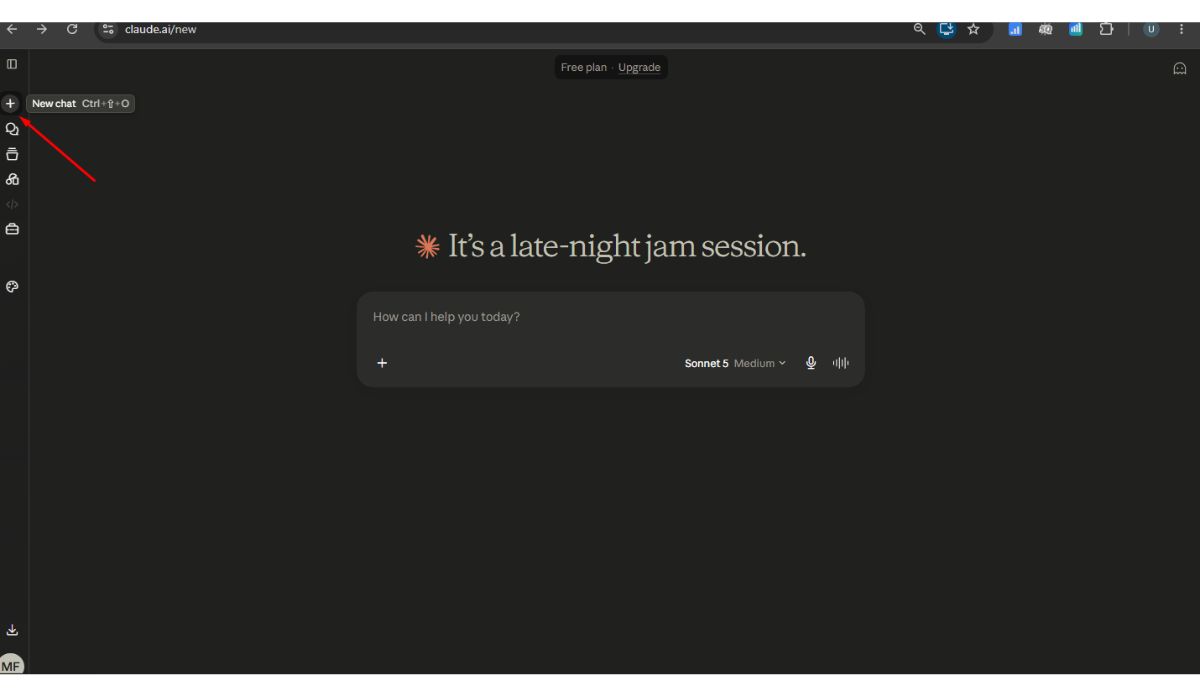 Use a new conversation when you move to a different task. If an old chat contains a long document review and you now want help writing an email, there’s little reason to carry the earlier material into the new request.
Open a fresh chat and include only the details needed for the current job. You can copy over a short summary if Claude needs information from the old conversation.
Remember the difference: a new chat may reduce unnecessary context, but it doesn’t reset your five-hour or weekly usage. If the whole account is blocked, the new conversation will show the same limit.
4. Reduce the Prompt and File Load
When a large question causes trouble, don’t keep sending the same files and hoping for a different result. Make the job smaller and more focused.
Try these changes:
- Upload only the files Claude needs.
- Remove duplicate attachments.
- Share the relevant PDF pages instead of the entire document.
- Trim logs to the lines around the error.
- Split a large report into clear stages.
- Ask for one useful output rather than several unrelated ones.
- Store regularly used documents in a Claude Project.
Breaking a large job into stages doesn’t mean sending every sentence separately. That can create more back-and-forth. Give Claude enough context to understand the task, but remove material that has nothing to do with it.
5. Use a Lighter Model or Lower Effort
For simple work, choose a lighter model available on your plan. A quick summary, grammar correction or short explanation usually doesn’t need the strongest model with maximum effort.
Sonnet may be enough for many everyday and coding tasks. A lighter option such as Haiku can suit quick, straightforward work when it is available. Keep Opus and higher effort for difficult reasoning, large planning jobs or problems where the lighter model isn’t giving a good result.
Changing models won’t restore capacity that has already been used. It can help the next allowance last longer.
6. Check Claude Code and Other Shared Usage
Think about everything you’ve done with the same Claude account during the current period. Did you run Claude Code for a repository? Was Cowork processing a long task? Did you use Claude through the desktop app?
Check for:
- Long Claude Code sessions
- Cowork tasks still running
- Claude open on another computer
- Coding extensions connected to the same account
- Another device using Claude
- Research or file-heavy work completed earlier
Stopping those tasks won’t return the capacity they already consumed. It can prevent active work from continuing to use what remains.
If you share a login with another person, that can also explain unexpected usage. Account sharing may create security and policy problems, so each person should use their own permitted account.
7. Consider Credits, an Upgrade or Support
Eligible paid users may be able to turn on usage credits. This lets them continue after the included allowance runs out by switching to pay-as-you-go billing.
Before enabling credits:
- Open Settings.
- Select Usage.
- Find the usage credits section.
- Read the billing information.
- Add a payment method if required.
- Set a sensible spending limit.
- Confirm before continuing with paid usage.
These credits are not included free with the subscription. They create separate charges, so don’t enable them without checking the cost controls.
If you hit limits regularly because of coding, research or large documents, a higher plan may offer more room. Upgrading for a single unusual task may not be necessary. Waiting for the reset could make more sense.
Contact support when Claude blocks you even though Settings > Usage shows available capacity. Include the exact warning, time, browser, plan and a screenshot. Team or Enterprise users should ask their administrator first if the message mentions a company limit.
How to Make Your Claude Usage Last Longer
Plan related questions together before starting. A clear prompt with the necessary background may avoid several rounds of clarification. Don’t make it so short that Claude has to guess what you want, though.
A few habits can help:
- Start a new chat when changing to an unrelated topic.
- Avoid uploading the same large file repeatedly.
- Keep long logs and code dumps focused on the problem.
- Use Projects for documents you need across several chats.
- Choose a model that matches the difficulty of the task.
- Lower the effort setting for basic work.
- Check Usage before beginning a long session.
- Save demanding jobs for when your allowance has reset.
The goal isn’t to make every message tiny. It is to remove repeated and unrelated material while keeping the instructions clear.
FAQs About Claude Stopping After One Question
Does starting a new chat reset my Claude limit?
No. A new chat clears the conversation context, but it doesn’t reset your account’s session or weekly allowance. You must wait for the displayed reset time if the plan limit has been reached.
Why did one PDF use so much Claude capacity?
Claude must read and process the PDF along with your question and conversation history. A large document, scanned pages or several attached files can make one request much heavier than a normal message.
Does Claude Code share my usage limit?
Claude Code activity can count towards the same allowance when you use it through an eligible Claude plan. This is why your web-chat limit may appear low after a long coding session.
Why am I still blocked after five hours?
You may have reached a weekly limit, organization cap or another restriction. Open Settings > Usage and check which reset timer is currently active.
Can Claude stop because the conversation is too long?
Yes. A very long chat or oversized message may reach a length limit. Start a new conversation, reduce the attached files or send only the most relevant content.
Will usage credits charge me extra?
Yes. Usage credits are separate from the usage included with your subscription. Once enabled and used, they can create pay-as-you-go charges. Set a spending limit before continuing.
Final Thoughts
When Claude stops after one question, that question is often only the point where an almost-used allowance finally runs out. Earlier chats, shared Claude Code usage, a long conversation or large files may already have consumed most of it.
Check Settings > Usage before changing your browser or paying for another plan. The exact warning and reset timer will usually tell you what happened. What message did Claude show after your question: a five-hour limit, weekly limit or length warning?
