


Video editing used to be a skill reserved for professionals with powerful computers, expensive software, and years of training. Today, that barrier has almost completely disappeared. Thanks to cloud computing, artificial intelligence, intuitive interfaces, and mobile-first design, modern video editing platforms are making it possible for anyone—from small business owners to students and hobbyists—to create polished, engaging content.
TLDR: Video editing is no longer just for professionals with high-end software. Modern platforms powered by AI, cloud collaboration, and intuitive design have made creating high-quality videos accessible to beginners and experts alike. From mobile apps to browser-based studios, these ten cutting-edge tools offer powerful features without the steep learning curve. Whether you’re editing for social media, YouTube, business, or education, there’s a platform built for you.
Below are 10 cutting-edge platforms that are redefining how we create and share video content—making the process faster, easier, and more inclusive than ever.
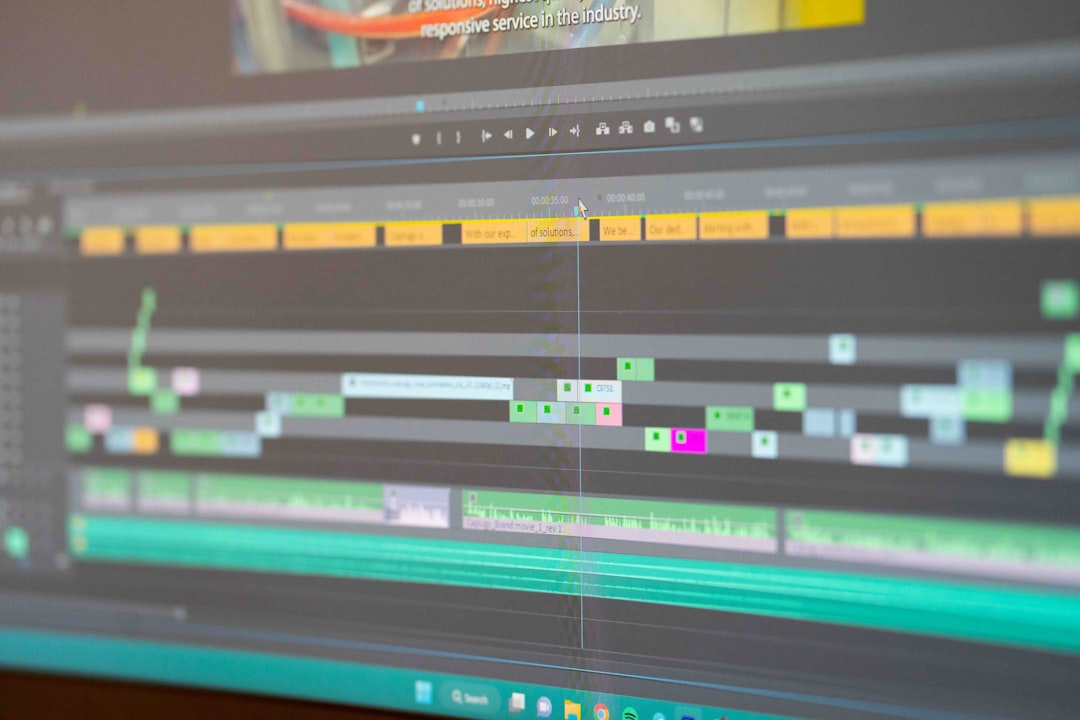
1. Adobe Premiere Pro (with AI Enhancements)
Adobe Premiere Pro has long been an industry standard, but recent AI integrations through Adobe Sensei have transformed it into a more accessible tool for beginners without sacrificing depth for professionals.
- Auto Reframe for resizing videos across social platforms
- Text-based editing that lets you edit footage like a document
- Automatic color correction and audio clean-up
What once required technical expertise can now be achieved in a few clicks. The new text-based editing feature, in particular, lowers the learning curve dramatically.
2. Final Cut Pro
Apple’s Final Cut Pro blends performance and usability. Optimized for macOS, it leverages Apple silicon to deliver seamless playback and real-time effects rendering.
- Magnetic Timeline to prevent accidental clip overlap
- Advanced color grading tools
- 360-degree video editing
While powerful enough for cinematic productions, its user experience makes it surprisingly manageable for ambitious beginners willing to learn.
3. DaVinci Resolve
DaVinci Resolve stands out by offering professional-grade tools in a free version. Originally known for high-end color grading, it now includes editing, visual effects, motion graphics, and audio post-production all in one platform.
- Node-based color correction
- Integrated Fusion effects
- Fairlight audio editing suite
The free version alone rivals many paid tools, making it a gateway for aspiring creators.
4. CapCut
Designed with social media creators in mind, CapCut has quickly become a favorite for TikTok and Instagram users. It offers an intuitive, mobile-first design combined with surprisingly advanced AI tools.
- Auto captions
- Background removal
- Trending templates
Its simplicity hides impressive power, especially for short-form video creators.
5. Canva Video
Canva started as a graphic design platform but has expanded into video editing with the same drag-and-drop simplicity.
- Template-based editing
- Stock video and music libraries
- Team collaboration in the cloud
This makes it ideal for marketers, educators, and entrepreneurs who prioritize speed and ease over intricate technical control.
6. Descript
Descript revolutionizes editing by allowing users to edit video through text transcription. Delete a sentence from the transcript, and it disappears from the video.
- Overdub AI voice cloning
- Screen recording capabilities
- Studio-quality sound enhancement
This platform is particularly powerful for podcasters, course creators, and interview-based content producers.
7. Runway
Runway is on the cutting edge of AI-powered editing. It enables users to perform complex visual effects without advanced technical skills.
- AI object removal
- Green screen without a green screen
- Text-to-video generation
Runway lowers the barrier to visual storytelling, making cinematic techniques accessible to independent creators.

8. Clipchamp
Owned by Microsoft, Clipchamp operates entirely in the browser. There’s no heavy software to install, and it runs efficiently even on lower-end devices.
- Simple drag-and-drop interface
- Built-in stock library
- Direct export to social platforms
Its accessibility makes it especially useful for students and small business teams.
9. InVideo
InVideo is tailored for marketers and content creators needing fast turnaround times. With thousands of templates and AI script generation tools, it simplifies production workflows.
- Automated text-to-video
- Extensive branded templates
- Cloud-based collaboration
For businesses prioritizing speed and consistency, InVideo can drastically reduce production time.
10. LumaFusion
LumaFusion proves that mobile editing can rival desktop software. Designed for iOS, it offers multi-track editing and advanced effects on tablets and smartphones.
- Professional timeline control
- Advanced transitions and color grading
- Portable editing workflows
Journalists and on-the-go creators often rely on LumaFusion for professional results without needing a laptop.
Comparison Chart
| Platform | Best For | Skill Level | AI Features | Platform Type |
|---|---|---|---|---|
| Adobe Premiere Pro | Professional creators | Intermediate to Advanced | Yes | Desktop |
| Final Cut Pro | Mac users and filmmakers | Intermediate | Limited | Desktop |
| DaVinci Resolve | Color grading professionals | Beginner to Advanced | Yes | Desktop |
| CapCut | Social media creators | Beginner | Yes | Mobile/Desktop |
| Canva Video | Marketers and teams | Beginner | Basic | Cloud-based |
| Descript | Podcasters and educators | Beginner | Strong | Desktop/Cloud |
| Runway | AI-driven filmmakers | Beginner to Intermediate | Very Strong | Cloud-based |
| Clipchamp | Students and small businesses | Beginner | Moderate | Browser-based |
| InVideo | Marketing teams | Beginner | Strong | Cloud-based |
| LumaFusion | Mobile professionals | Intermediate | Limited | Mobile |
Why Video Editing Is Now Truly Democratized
Three major shifts have driven this transformation:
- AI integration that automates complex tasks.
- Cloud-based collaboration that removes hardware barriers.
- Template-driven workflows that simplify creative decisions.
These platforms eliminate many traditional pain points—complex interfaces, expensive hardware, and technical roadblocks. Whether you’re creating educational videos, marketing campaigns, documentaries, or viral social clips, the right tool can now meet you at your skill level.
In a world where video dominates digital communication, accessibility matters. These cutting-edge platforms do more than streamline editing—they empower creators everywhere to tell their stories.
The future of video creation isn’t just professional. It’s universal.
