 logo
logo
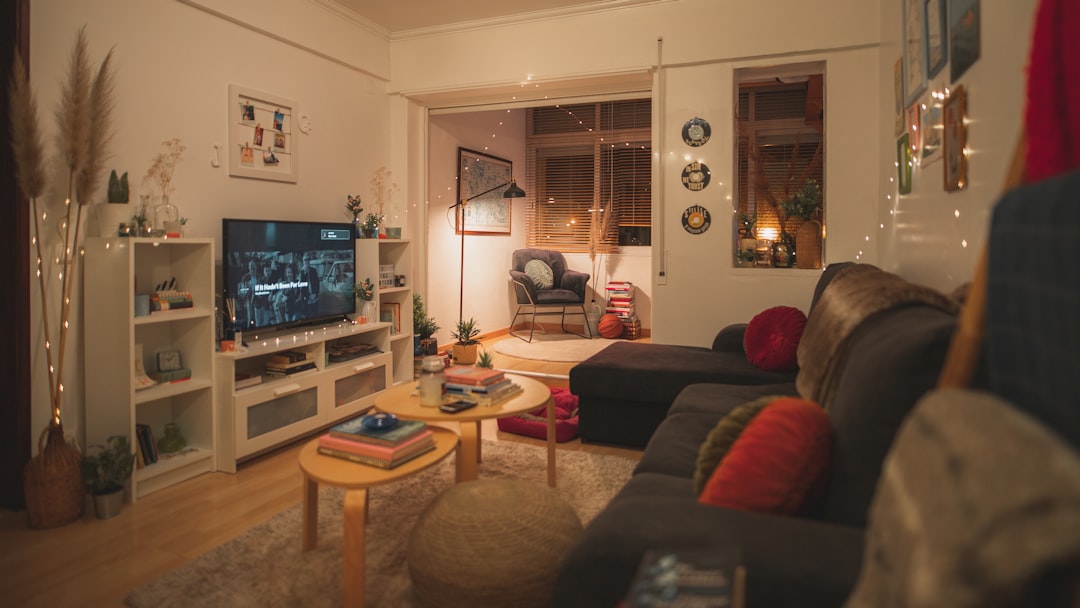
The fastest way to build an Apple HomeKit home alarm system is to pair a HomePod or Apple TV with HomeKit compatible sensors, cameras, a siren, and clear automation rules. The system should detect entry, send alerts, record video, and trigger lights or sound when motion or door activity occurs. A homeowner does not need a full professional alarm panel, but the setup must be planned carefully or notifications can become noisy and useless.
TLDR: A solid HomeKit alarm setup usually includes a HomePod mini or Apple TV, two to six contact sensors, one or two motion sensors, at least one indoor camera, and a siren or smart speaker alert. For example, a small apartment can be covered with 2 door sensors, 3 window sensors, 1 motion sensor, and 1 camera for roughly $250 to $600, depending on brands. The main goal is simple: detect a break-in fast, send a phone alert, turn on lights, and record video before the intruder has time to settle in.
Start with the HomeKit hub
A HomeKit alarm system needs a reliable home hub. This is usually a HomePod, HomePod mini, or Apple TV. The hub keeps automations running when the resident is away and allows remote alerts through the Home app.
For most homes, a HomePod mini is the easiest choice. It supports Thread, works as a speaker for alerts, and stays plugged in at all times. An Apple TV is also strong, especially when cameras are part of the setup.
The hub should be placed near the center of the home if Thread devices are used. Poor placement can cause delays. It drives people a little mad when a door sensor takes five seconds longer than expected to report an open door, and weak wireless coverage is often the reason.
Choose the right alarm devices
HomeKit can connect several device types that work together like an alarm system. The core parts are simple:
- Contact sensors: Placed on doors, windows, sliding doors, and garage entry points.
- Motion sensors: Used in halls, stairways, living rooms, and other traffic zones.
- Security cameras: Used to confirm whether an alert is real.
- Smart lights: Turn on during an alert to scare off intruders.
- Smart plugs or sirens: Trigger a loud alarm sound.
- Smart locks: Help confirm that doors are secured.
Common HomeKit friendly brands include Aqara, Eve, Abode, Logitech, ecobee, Philips Hue, and Meross. Some devices connect directly through Thread or Wi-Fi. Others need a small bridge. The catch is that compatibility labels can be oddly confusing. A product may support Apple Home in one version, then require a hub in another.
Before purchase, the homeowner should check for the “Works with Apple Home” or Matter label. If Matter is used, the device should still be checked for alarm-related functions inside Apple Home, since not every feature from the brand’s own app appears in HomeKit.
Map the home before installing sensors
A good HomeKit alarm starts with entry points. The resident should list every realistic access point before buying gear. Front doors, back doors, balcony doors, basement windows, and garage doors matter most.
For a small apartment, the setup may need only a main door sensor, balcony sensor, motion sensor, and camera. A detached house may need eight or more contact sensors plus outdoor cameras.
Sensor placement should follow this order:
- Main entry doors, including side and garage doors.
- Ground floor windows, especially hidden ones.
- Hallways that connect bedrooms and exterior doors.
- Rooms with valuables, such as offices or media rooms.
- Outdoor paths, if HomeKit compatible cameras are used.
Motion sensors should not face heating vents, moving curtains, fans, or windows with strong sunlight. Pets also matter. A cat jumping across a shelf at 2:13 a.m. can ruin a person’s trust in the whole system.
Add everything to the Apple Home app
Devices are added through the Home app on an iPhone or iPad. The resident should tap Add Accessory, scan the HomeKit or Matter code, assign the device to a room, and give it a clear name.
Names should be practical. Front Door Sensor is better than Sensor 1. Kitchen Window is better than Window Left. Clear names make alerts faster to understand when stress is high.
Recommended room names include:
- Front Entry
- Back Door
- Living Room
- Bedroom Hall
- Garage
- Office
After pairing, each device should be tested by opening the door, walking past the motion sensor, or triggering the accessory. The Home app should update almost at once. If it does not, the device may need a better signal, fresh battery, firmware update, or bridge restart.
Create alarm-style automations
Apple Home does not always behave like a traditional alarm keypad. Instead, the homeowner builds alarm behavior with automations, scenes, notifications, and optional shortcuts.
A basic alarm scene might be called Away Security. It can turn off unneeded lights, lock doors, arm cameras, and prepare sensors. Another scene, Night Security, can monitor exterior doors while ignoring normal bedroom movement.
Useful automations include:
- If the front door opens while nobody is home: Turn on entry lights, send an alert, and start camera recording.
- If motion is detected in the hall at night: Turn on lights at 40% brightness and send a notification.
- If a window opens during Away mode: Trigger a siren plug and switch on all downstairs lights.
- If the resident arrives home: Stop alert automations and turn on entry lighting.
For stronger control, household presence can be used. The Home app can run automations based on whether the last person has left or the first person has arrived. This helps reduce false alerts.
Set up alerts and camera recording
Notifications are the heart of a HomeKit alarm system. The homeowner should open each sensor in the Home app and enable status notifications. Alerts can often be limited by time, people at home, or device state.
HomeKit Secure Video can record supported camera clips to iCloud. It can detect people, animals, vehicles, and packages on many cameras. This reduces false alarms and helps confirm what happened.
Camera placement should cover entrances, not private areas. Good indoor spots include the front entry, rear door, stairway, and main hallway. Outdoor cameras should cover doors, gates, and driveways.
Add a siren or loud response
A true alarm needs sound. Some HomeKit security systems include built-in sirens. If not, the homeowner can use a HomeKit compatible smart plug with a plug-in siren, or use speakers to play an alert sound through automations where supported.
Smart lights also work well. A burst of bright light can scare away an intruder and make cameras capture clearer footage. Red or white lights in the entry area are especially effective.
The alarm response should be tested at a reasonable hour. Neighbors will not enjoy a surprise siren test at midnight, and nobody wants to learn during a real break-in that the plug was switched off.
Make the system reliable
Reliability matters more than fancy features. Batteries should be checked monthly. Firmware should be updated, but not right before leaving for a trip. Wi-Fi coverage should be strong near cameras and bridges.
The homeowner should also create a simple maintenance routine:
- Test sensors once per month.
- Replace weak batteries before they fail.
- Review Home app notifications after every iOS update.
- Check camera recording after power outages.
- Keep HomeKit codes stored safely.
A HomeKit alarm system is best seen as a smart self-monitoring setup. It can alert quickly, record useful clips, and trigger lights or sirens. It does not replace every feature of a monitored alarm service, but for many homes it offers strong protection with no monthly contract.
FAQ
Can Apple HomeKit be used as a real alarm system?
Yes, it can work as a self-monitored alarm system using sensors, cameras, lights, and sirens. It is not the same as a professionally monitored alarm unless paired with a compatible service.
Does HomeKit need a HomePod or Apple TV?
Yes, remote access and reliable automations need a home hub such as a HomePod, HomePod mini, or Apple TV.
What is the best first device to buy?
A contact sensor for the main door is usually the best first alarm device. It gives instant value and helps test how well the HomeKit setup works.
Can HomeKit call the police automatically?
No, standard HomeKit automations do not call emergency services. Some third-party alarm systems may offer professional monitoring through their own plans.
How can false alarms be reduced?
The homeowner should use presence detection, time-based rules, pet-aware placement, and camera confirmation. Motion sensors should avoid sunlight, vents, curtains, and pet paths.
